By: Edwin Sarmiento | Comments (16) | Related: > SharePoint
Problem
I've been tasked to manage the SharePoint 2010 database server after deployment. While looking at the list of databases, I saw several databases that have GUID values appended to their names, one of them is the SharePoint Admin Content database. How can I rename the database and remove the GUID value from the name?
Solution
In a previous tip, Introduction to SharePoint 2010 for SQL Server DBAs, you were introduced to the different types of databases that SharePoint uses. The SharePoint Central Admin database is a configuration database that stores site content and permissions for the Central Administration web application. As a DBA, we are concerned with backing up and restoring all of the SharePoint databases. While the Central Admin Content database is backed up when a SharePoint farm administrator performs a farm configuration backup, it doesn't get restored when a farm is restored. We can backup and restore the SharePoint Admin Content database separately using native SQL Server backup tools. The challenge here is dealing with a database name that has a GUID value.
Here is an example of the SharePoint database name.
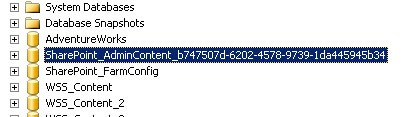
If you have a corporate policy to standardize database naming conventions or use custom database maintenance scripts, it is imperative to rename the SharePoint databases to eliminate those GUID values, starting with the SharePoint Admin Content. While most recommendations will tell you to rename your SharePoint databases accordingly during creation, in most cases, we DBAs are not included as part of the initial planning and deployment process. Thus, we end up with SharePoint databases with such naming conventions. To accomplish this task, we will be using Windows PowerShell via the SharePoint 2010 Management Shell console. Remember to backup the database prior to performing the tasks below.
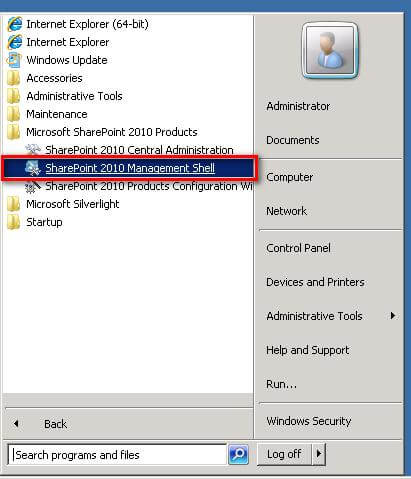
- On the SharePoint web or application server, click Start, point to All Programs, and then click Microsoft SharePoint 2010 Products. In the list of available options, click SharePoint 2010 Management Shell.
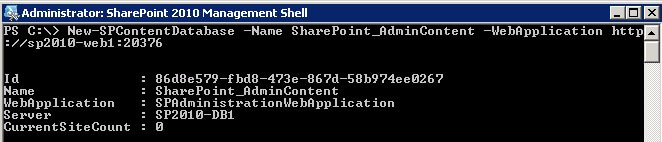
- In the SharePoint 2010 Management Shell, type the following command to create a new content database named SharePoint_AdminContent. This will replace the existing Central Admin content database that has a GUID value in its name. In my environment, the web application name for the SharePoint Central Administration web application is http://sp2010-web1:20376. The New-SPContentDatabase PowerShell cmdlet is described further in this tip on Managing SharePoint Content Databases with PowerShell.
PS C:\> New-SPContentDatabase -Name SharePoint_AdminContent -WebApplication http://sp2010-web1:20376
- We need to retrieve the Id values assigned to the SharePoint Admin Content databases. Run the following command, using the Get-SPWebApplication and the Get-SPContentDatabase PowerShell cmdlets.
PS C:\> Get-SPWebApplication -Identity http://sp2010-web1:20376 | Get-SPContentDatabase | Select Id, Name, WebApplication | Format-List
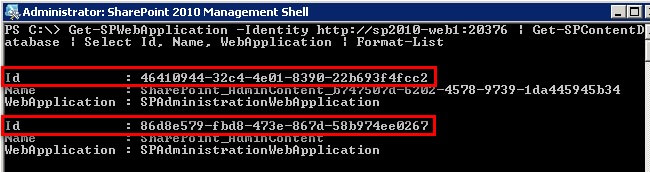
- To move the contents of the SharePoint Admin Content database from the one with the GUID value to the newly created one, run the following command, using the Get-SPSite and the Move-SPSite PowerShell cmdlets. Note that the you should pass the Id property values of the databases names instead of the Name property for the -ContentDatabase parameter of the Get-SPSite cmdlet. Type Y to confirm the prompts.
PS C:\> Get-SPSite -ContentDatabase 46410944-32c4-4e01-8390-22b693f4fcc2 | Move-SPSite -DestinationDatabase 86d8e579-fbd8-473e-867d-58b974ee0267
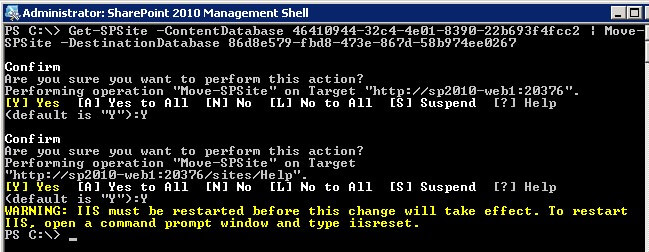
- Run IISRESET to restart IIS on the web front end server.
- Verify that the SharePoint Central Administration web application renders properly without issues. Try navigating thru the different links to make sure that everything is working fine.
- To completely remove the GUID-valued SharePoint Admin Content database, run the following command, using the Remove-SPContentDatabase cmdlet. This will detach the content database from the SharePoint Central Administration web application and eventually deleting it from the SQL Server instance. Type Y to confirm the prompts.
PS C:\> Remove-SPContentDatabase 46410944-32c4-4e01-8390-22b693f4fcc2
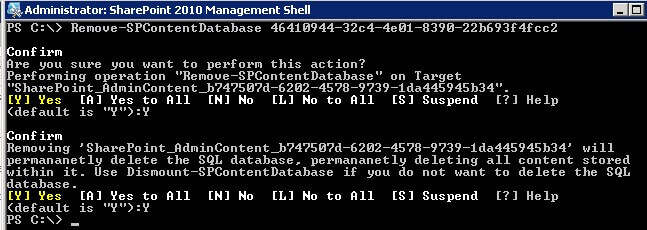
- Verify that you no longer have the GUID-valued GUID-valued SharePoint Admin Content database and that it is now using the newly created database
PS C:\> Get-SPWebApplication -Identity http://sp2010-web1:20376 | Get-SPContentDatabase | Select Id, Name, WebApplication | Format-List
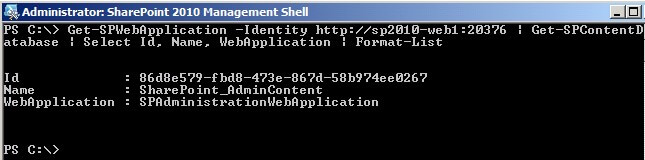
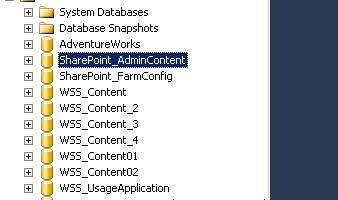
You can also confirm this by checking the list of databases from within SQL Server Management Studio.
In this tip, we've renamed an existing GUID-valued SharePoint content database to remove the GUID value. In future tips, we will look at performing the same task but with the service application databases running on your SharePoint 2010 farm.
Next Steps
- Read these related tips Introduction to SharePoint 2010 for SQL Server DBAs and Managing SharePoint Content Databases with PowerShell






About the author
 Edwin M Sarmiento is a Microsoft SQL Server MVP and Microsoft Certified Master from Ottawa, Canada specializing in high availability, disaster recovery and system infrastructures.
This author pledges the content of this article is based on professional experience and not AI generated.
View all my tips
