Free SQL Server Learning - Making the most out of SQL Server Agent
solving sql server problems for millions of dbas and developers since 2006


SQL Server DBA Tips SQL Server Developer Tips SQL Server Business Intelligence Tips SQL Server Career Tips SQL Server Tip Categories SQL Server Tutorials SQL Server Webcasts SQL Server Whitepapers SQL Server Tools SQL Server Questions and Answers MSSQLTips Authors About MSSQLTips SQL Server User Groups SQL Server Events I am MSSQLTips MSSQLTips Advertising Options

MSSQLTips Facebook Page MSSQLTips LinkedIn Page MSSQLTips RSS Feed MSSQLTips Pinterest Page MSSQLTips Twitter Page MSSQLTips Google+ Page


Command line deployment tool for SSIS packages  
(DTUTIL)

Overview
SQL Server includes the command line tool DTUTIL.EXE which can be used to deploy SSIS packages.  DTUTIL is a good choice when you want to script out the deployment of SSIS packages.  DTUTIL can be executed from a Command Prompt or from a batch (.BAT) file.

Explanation
To begin open a Command Prompt and navigate to the Tutorial-Sample-1 project folder as shown below:
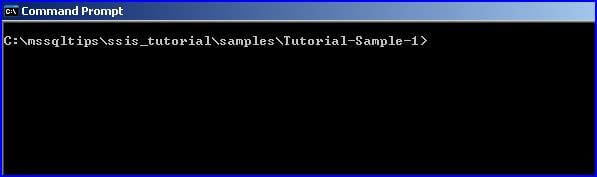
In the examples that follow, I will show how to deploy the CreateSalesForecastInput.dtsx package to the file system, package store, and SQL Server.

To deploy to the file system, you could use the DOS COPY command, Windows Explorer, etc. or the following DTUTIL command (all on one line):

DTUTIL /FILE CreateSalesForecastInput.dtsx 
       /COPY 
       FILE;C:\temp\CreateSalesForecastInput.dtsx 

Replace the path C:\temp as appropriate.

To deploy to the package store, type the following command (all on one line):

DTUTIL /FILE CreateSalesForecastInput.dtsx 
       /COPY 
       DTS;CreateSalesForecastInput

 To deploy to SQL Server, type the following command (all on one line):

DTUTIL /FILE CreateSalesForecastInput.dtsx 
       /COPY 
       SQL;CreateSalesForecastInput 

The above command deploys to the default SQL Server instance on the local machine.  To deploy to a different SQL Server add the command line parameter /DESTSERVER "SERVERNAME\INSTANCENAME".

Additional Information

  • Take a look at the DTUTIL command in Books on Line for additional details.



Sponsor Information
Find and fix SQL Server problems before they happen - SQL diagnostic manager now with predictive analysis!

Get your SQL Server database under version control now! Find out why...

Is “blocking” a bad word at your company? Contact the Edgewood SQL Server Consultants for the resolution.

Free SQL Server performance monitoring software! Improve performance by 65% today with IgniteFree.

SQL Server Data Tools - Got questions? Get the answers here!


Copyright (c) 2006-2013 Edgewood Solutions, LLC All rights reserved
privacy | disclaimer | copyright | advertise | about
authors | contribute | feedback | giveaways | user groups
Some names and products listed are the registered trademarks of their respective owners.


Edgewood Solutions LLC | MSSharePointTips.com | MSSQLTips.com