By: MSSQLTips | Comments (1) | Related: > Maintenance
Problem
Database maintenance is vital to the health of an organization's data delivery infrastructure. In SQL Server 2005 Microsoft redesigned the method through which Database Maintenance Plans are created and managed. These plans can be created through a wizard in SQL Server Management Studio (SSMS). They are handled mainly through the Business Intelligence Studio (BIDS), and custom plans can be created in BIDS using SSIS. Although the process is comprehensive, the management of physical backup files is not automatically handled in the Database Maintenance Plan Wizard, but history cleanup is completed. In this tip we will outline a number of methods that are available to manage these files.
Solution
Let's first talk about the process involved in creating a Database Maintenance Plan. You create maintenance plans in BIDS, just as you would create any other SSIS package. Here are the maintenance tasks available in SSIS:
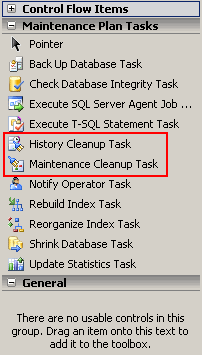
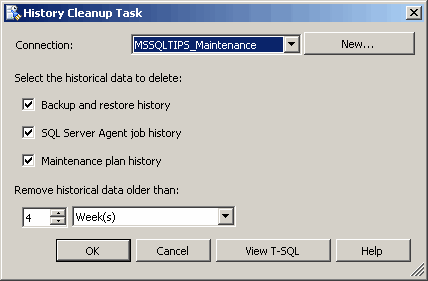
Of particular interest are the two tasks highlighted above-the History Cleanup Task and Maintenance Cleanup Task. The History Cleanup Task deletes maintenance information generated prior to a specified date in the msdb database. One new and much appreciated feature in the tasks themselves is that you can view the T-SQL statement to be issued when the task is executed. Here is the History Cleanup Task and associated T-SQL statement:
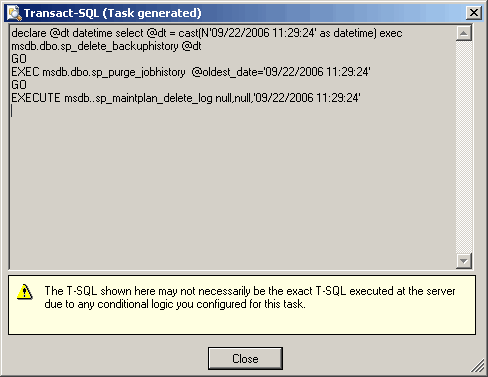
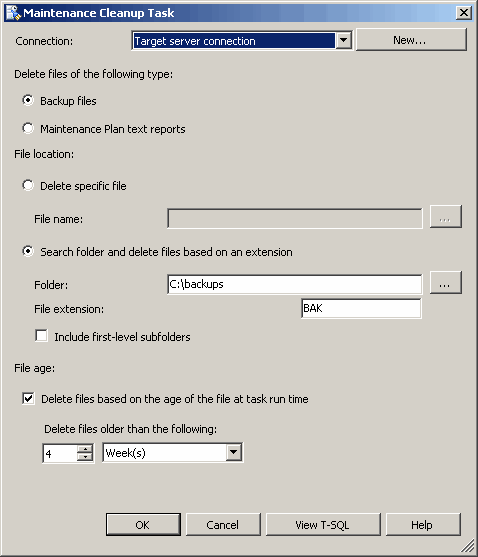
The Maintenance Cleanup Task is a way of deleting physical backup files, although this task can be used to clean up other files as well. Here is what the Maintenance Cleanup Task looks like, along with its T-SQL statement:
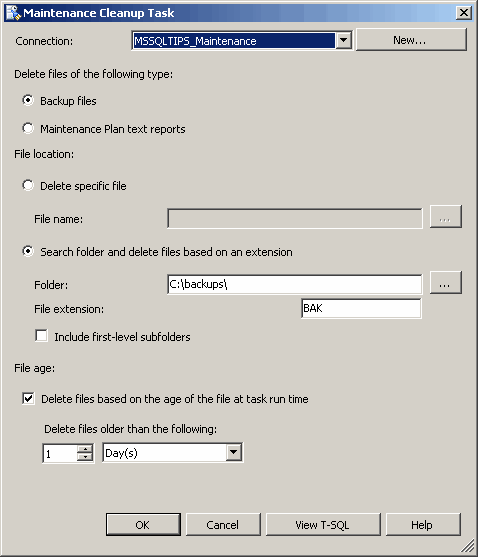
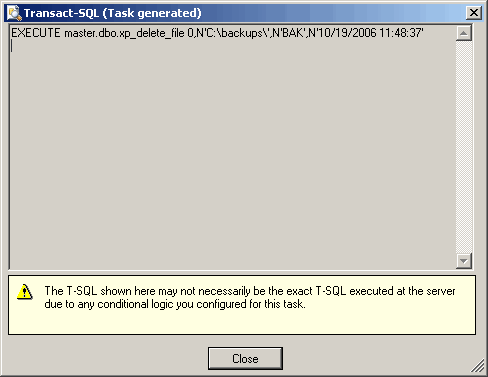
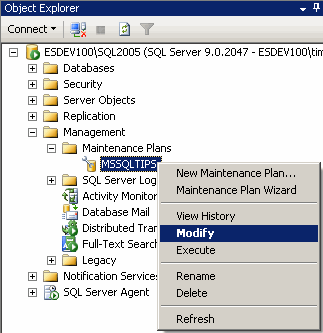
You can customize each of these tasks by using an Expression or use the T-SQL statement as a scheduled job per se'. One thing to note about the Maintenance Cleanup Task is that it is not added to a maintenance plan when using the Database Maintenance Plan Wizard in SSMS. To add this task to an existing maintenance plan, right-click the plan in SSMS and choose Modify:
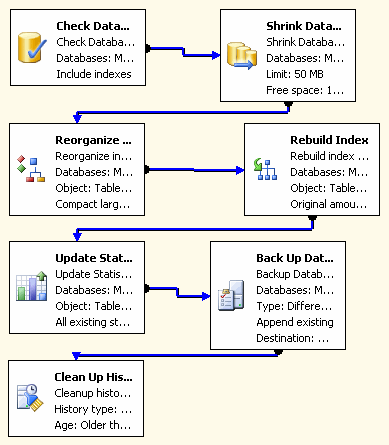
A screen opens in SSMS giving a view similar to the SSIS Designer and listing the steps involved in the plan:
You can add additional steps to the plan by dragging and dropping a task over to the screen. In this case we'll add a Maintenance Cleanup Task to it:
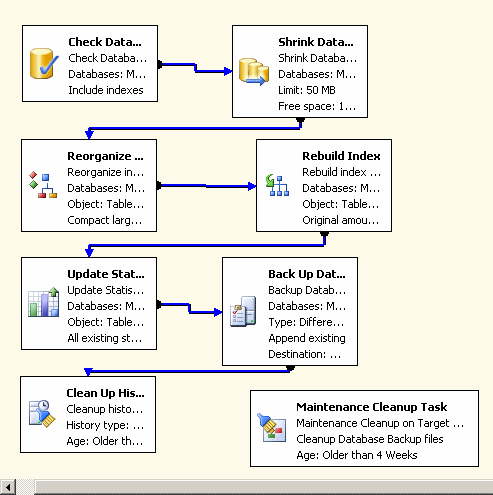
Once you add the task to the plan you have to add more information: the server connection, the folder where the backup files are housed, the file extension you want it to delete, and time span. In addition you must add a Precedence Constraint to the task so that the order of task execution is maintained:
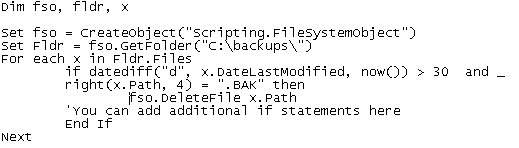
There are other alternatives to deleting the physical backup files, but perhaps the safest is to run a vbscript on a daily basis. Here is a sample script that deletes files whose date last modified is over 30 days:
Next Steps
- Remember that the History Cleanup Task and Maintenance Cleanup Task are two different processes, and the Maintenance Cleanup Task is not added to the Maintenance Plan when the Wizard is used
- Review your procedure on physical backup file maintenance and incorporate the Maintenance Cleanup Task into your methods
- Review information on the Maintenance Cleanup Task and History Cleanup Task
- Go to MSSQLTIPS for information on SQL Server maintenance and SQL Server Integration Services






About the author
 MSSQLTips.com was started in 2006 to provide SQL Server content about various aspects of SQL Server and other database platforms.
This author pledges the content of this article is based on professional experience and not AI generated.
View all my tips
