By: Thomas LaRock | Comments (8) | Related: 1 | 2 | 3 | 4 | > Policy Based Management
Problem
SQL Server splits your physical transaction log file into logical chucks, called virtual log files (VLF). While your transaction log file may look like one file, logically it is fragmented and the level of fragmentation can result in performance degradation. You can take action to correct the situation, but first you need to know if the situation exists In this tip I will walk you through how to identify this issue.
Solution
You can use Policy Based Management (PBM) to determine which databases currently have extensive VLF fragmentation. The creation of a policy will allow for you to quickly and easily scan all databases in your enterprise.
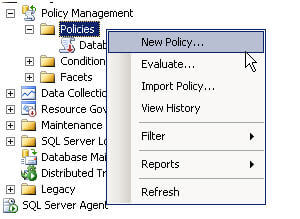
Inside of SSMS, navigate to the policies folder, right-click, and select 'New Policy...'.
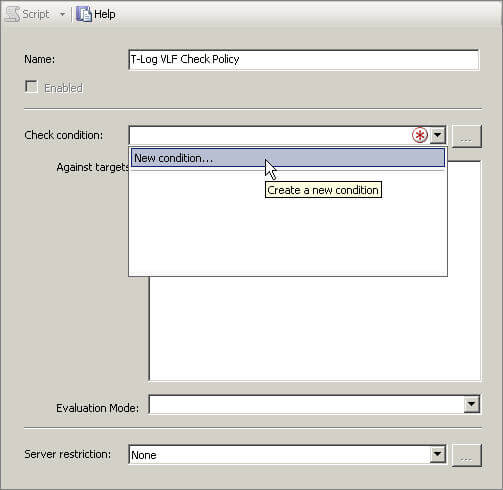
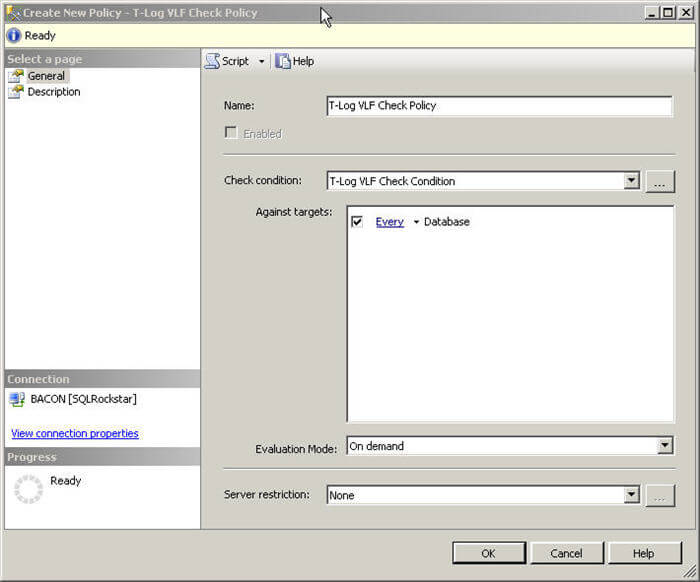
In the name field enter in 'T-Log VLF Check Policy', then click on the arrow in the Check condition dropdown and select 'New condition...':
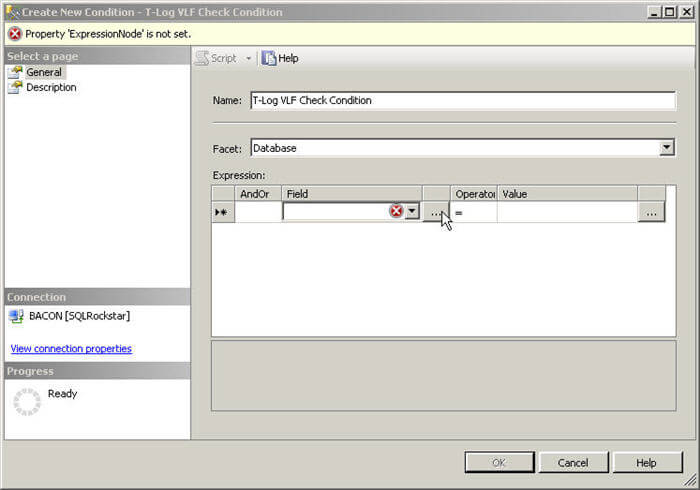
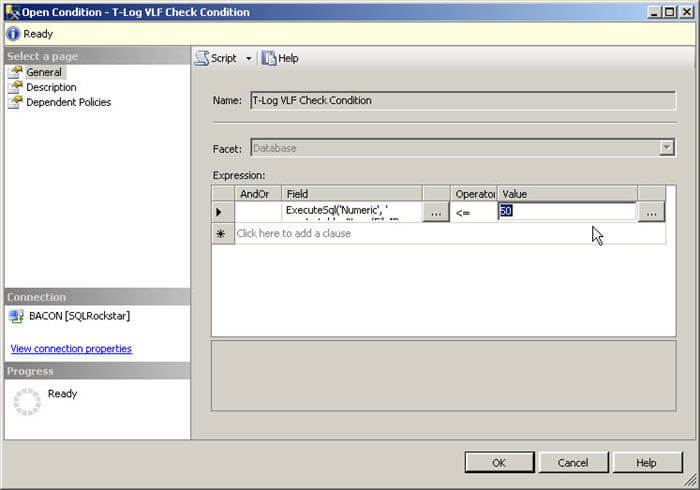
In the name field enter 'T-Log VLF Check Condition'. For the Facet select 'Database', then click on the ellipses next to the 'Field' dropdown.
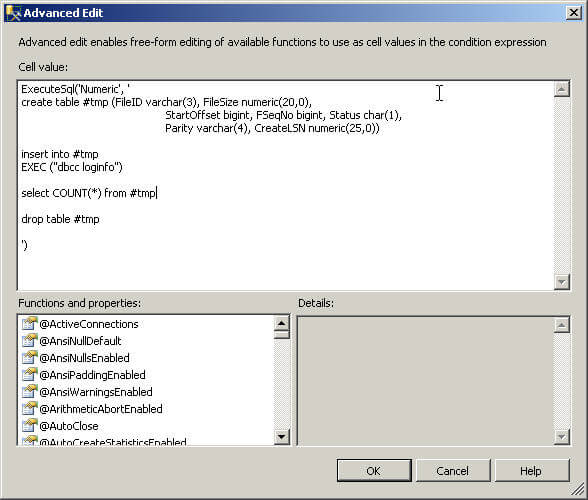
Here is where the magic will happen. Cut and paste the following code into the 'Cell value':
ExecuteSql('Numeric', '
create table #tmp (FileID varchar(3), FileSize numeric(20,0),
   StartOffset bigint, FSeqNo bigint, Status char(1),
   Parity varchar(4), CreateLSN numeric(25,0))
insert into #tmp
EXEC (''dbcc loginfo'')
select COUNT(*) from #tmp
drop table #tmp
')
|
Click 'OK'
Then set the Value field to be 50, the Operator to be less than or equal to, and click OK again.
Make certain the check box for every database is enabled, and click OK again.
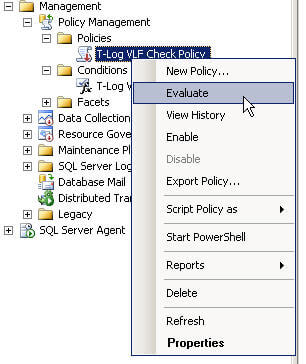
Your policy is created, next up is to evaluate, right click on the policy and select Evaluate:
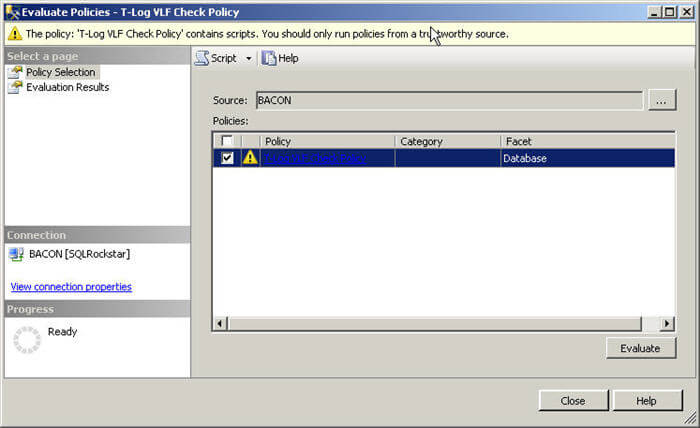
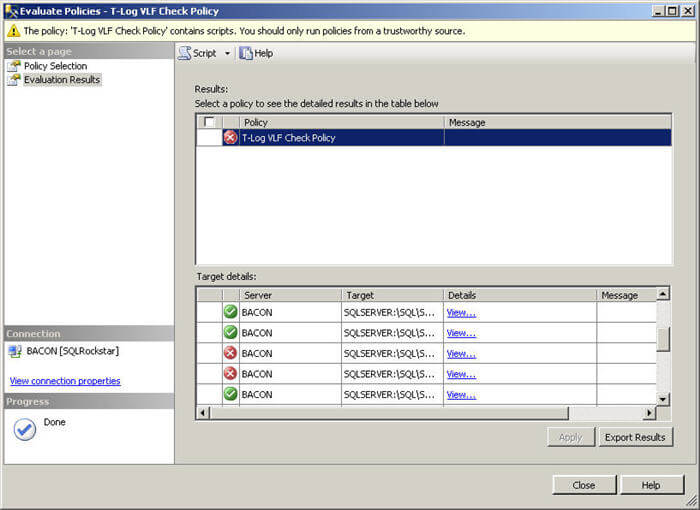
Click Evaluate, then Run if you get prompted (again) about your policy containing a script. Any databases with more than 50 VLF's will be flagged.
Result
Here is a screenshot of a sample result set returned by the policy.
Next Steps
- Navigate to an instance of SQL 2008 and create the policy as outlined above.
- If you find a database with more than 50 VLF's, you should take action as outlined here.






About the author
 Thomas LaRock is a Head Geek at SolarWinds and a Microsoft Certified Master, Microsoft Data Platform MVP, VMware vExpert, and a former Microsoft Certified Trainer with over 20 years’ experience.
This author pledges the content of this article is based on professional experience and not AI generated.
View all my tips
