By: Jeremy Kadlec | Comments (9) | Related: > Integration Services Upgrade
Problem
With as many Data Transformation Services (DTS) Packages that have been developed and deployed for B2B, data integration and BI needs, when it comes to upgrading from SQL Server 2000 to 2005, this portion of the upgrade will need special attention. DTS Packages have become engrained in many applications and business processes making them business critical for not only internal applications but also mission critical for business partners. In addition, DTS Packages are probably being used in unexpected ways than originally intended further complicating the upgrade process. In some respects DTS Packages being called directly from web pages or being automatically triggered based on a business event follow a much different paradigm than those DTS Packages being called from a SQL Server Job as was probably how DTS Package execution was originally intended. With the varying usage of the SQL Server 2000 DTS Packages, what is the upgrade process to SQL Server 2005 Integration Services (SSIS) Packages?
Solution
The DTS Package (SQL Server 2000) to SSIS Package (SQL Server 2005) upgrade is dependent on the Business Intelligence Development Studio which follows the Visual Studio paradigm of solutions and projects. In the example below, we will create a single solution and project with a single SSIS Package, although numerous SSIS Packages can reside in a single solution. Follow these steps to migrate your DTS Packages to SSIS Packages with the Migrate DTS 2000 Package Wizard:
| ID | Steps | Screen Shot |
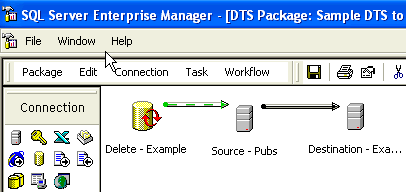
| 1 | SQL Server 2000 DTS Package - The original logic is to delete data from the destination table and then import all of the data. |
|
| 2 | Migrate DTS 2000 Package - Start the migration wizard by starting the Business Intelligence Development Studio, creating an Integration Services project and navigating to Project | Migrate DTS 2000 Package. | 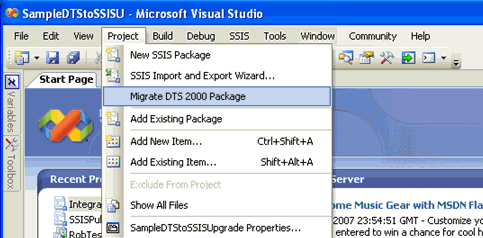 |
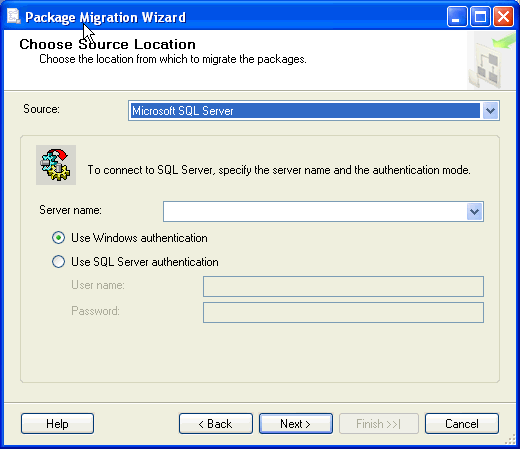
| 3 | Choose Source Location - Specify the SQL Server 2000 server name with the DTS Package that needs to be migrated and the authentication type.
Press the 'Next >' button to continue the process. |
 |
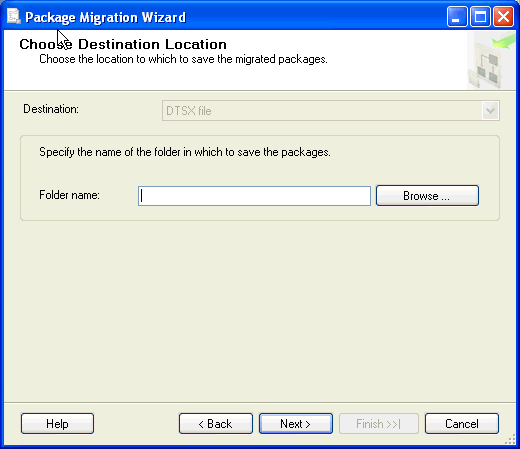
| 4 | Choose Destination Location - Directory on your desktop to save the SSIS Package file.
Press the 'Next >' button to continue the process. |
 |
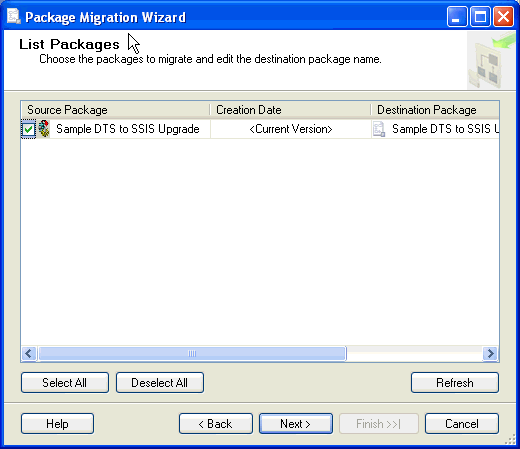
| 5 | List Packages - All DTS Packages on the SQL Server 2000 instance that can be upgraded.
Press the 'Next >' button to continue the process. |
 |
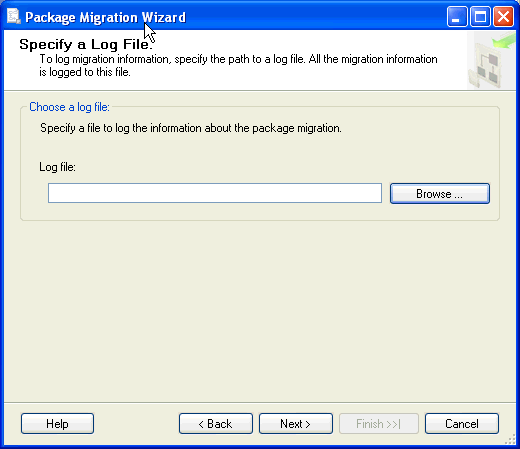
| 6 | Specify a Log File - Press the 'Browse' button to specify a log file for the migration process.
Press the 'Next >' button to continue the process. |
 |
| 7 | Complete the Wizard - Review the configurations and then press the 'Finish' button to begin the migration process. | 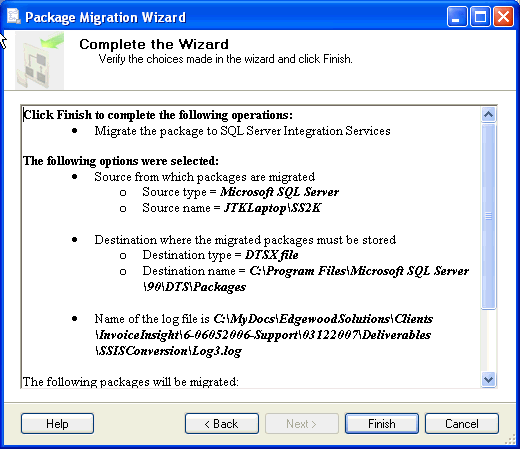 |
| 8 | Migrating the packages... - Review the status for the migration. | 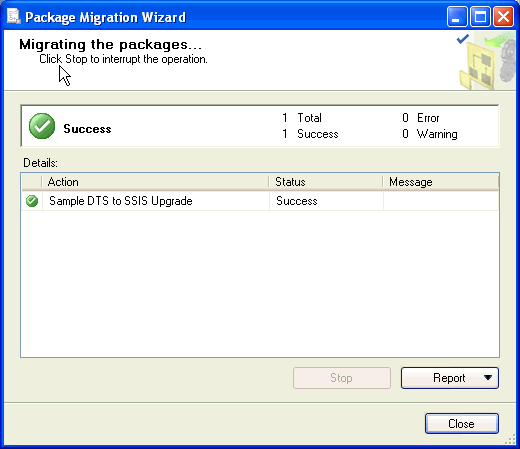 |
| 9 | Integration Services Package - Review the objects to validate the code was successfully migrated. | 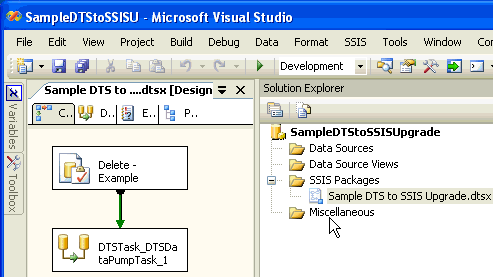 |
For information on deploying SSIS Packages, reference - SQL Server Crosswalk - Deploying a SQL 2000 DTS vs. a SQL 2005 SSIS package.
Next Steps
- As you begin to think about upgrading to SQL Server 2005, download and execute the SQL Server 2005 Upgrade Advisor to identify all potential upgrade issues as you begin the project. Be sure to analyze your DTS Packages, review, correct and test each of the DTS Package issues, then re-run the Upgrade Advisor to ensure a smooth upgrade to SQL Server 2005.
- For more information about the SQL Server 2005 Upgrade Advisor check out - SQL Server 2005 Upgrade Considerations for DBAs and Developers.
- Since SQL Server 2005 has moved to the Visual Studio paradigm of Solutions and Projects, be sure to setup them up for your SSIS Packages in the Business Intelligence Management Studio (BIDS).
- As you architect and implement your Integration Services infrastructure, keep in mind that it is a separate installation in SQL Server 2005. Depending on the number of SSIS Packages and the processing power needed, consider setting up a separate SQL Server instance for Integration Services.
- Check out these related MSSQLTips.com tips:
- Tip Category - SQL Server Integration Services
- Tip Category - Data Transformation Services






About the author
 Jeremy Kadlec is a Co-Founder, Editor and Author at MSSQLTips.com with more than 300 contributions. He is also the CTO @ Edgewood Solutions and a six-time SQL Server MVP. Jeremy brings 20+ years of SQL Server DBA and Developer experience to the community after earning a bachelor's degree from SSU and master's from UMBC.
This author pledges the content of this article is based on professional experience and not AI generated.
View all my tips
