By: MSSQLTips | Comments (1) | Related: > Install and Uninstall
Problem
SQL Server 2000 installations are tedious and time-consuming, particularly if there are many servers to roll out. Having someone sit in front of the server during installation can also be very expensive. Microsoft created a method through which SQL Server can be installed in an unattended fashion. Using an unattended installation method can provide consistent server installations throughout the organization, and reduce the Total Cost of Ownership (TCO) of the database system.
Solution
The heart of SQL unattended installation is the .ISS file, which is a file that holds the component configuration information for the SQL installation. Different .ISS files can be created, based on different configurations of SQL Servers in the organization. Microsoft provided some of these files on the main section of the CD for common installations:
- sqlins.iss: Used to install typical server components of SQL Server
- sqlcli.iss: Used to install connectivity and management tools but no server components
- sqlcst.iss: Used to install all components of SQL Server
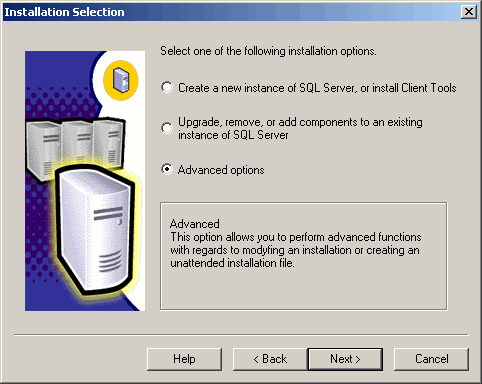
When you choose the Advanced Options radio button another screen will appear. This is where you choose to Record an Unattended .ISS file:
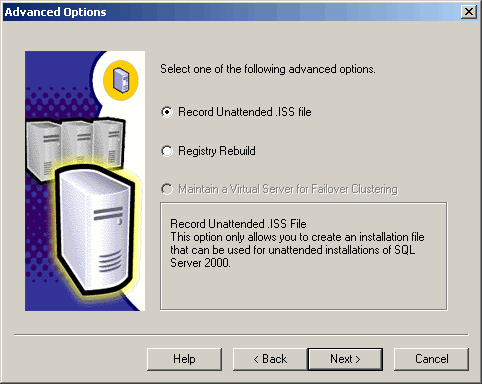
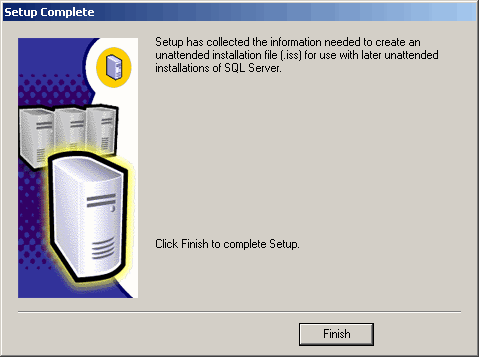
Once you have finished specifying the components to install, a screen will appear letting you know that the installation process has collected what it needs to write the .ISS file. This file will be written to the %system_root% folder of the computer the installation was run on (i.e., C:\Windows\):
Much like unattended installation for Windows Server products, a batch file can
be written to run the installation and specify the .ISS file to be used. The batch
file, in turn, can be run as a scheduled task or whenever convenient. The command
line syntax for starting the installation is:
"folder_location"\x86\Setup\SetupSQL.exe
There are also switches to specify various options for the installation
process:
- -S: Runs the installation in silent mode without dialog boxes
- -F1: Specifies the .ISS file to be used for the installation
- -SMS: When used in conjunction with the start /wait command, it returns control to the command prompt once installation is complete
Here is an example of the command line syntax:
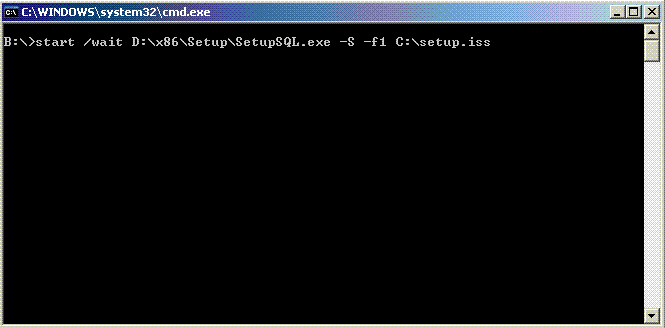
Part of the installation process asks for an SA password as well as service account username and password information. Although this information is stored in the .ISS file, the passwords are encrypted so that passwords aren't compromised. When creating a network share for the installation files, make sure the account used to run the batch file (whether through Scheduled Task or other mechanism) has adequate permissions to access the network share that houses both the installation files and .ISS files. Avoid the use of mapped drives in the batch file and use UNC paths if needed.
Next Steps
- Whether rolling out a series of new SQL Servers or eventually rolling out additional servers, consider the use of unattended installation to provide more consistent installations, make better use of personnel, and reduce the Total Cost Ownership (TCO) of a SQL Server 2000 database infrastructure
- Review the information on Performing an Unattended Installation






About the author
 MSSQLTips.com was started in 2006 to provide SQL Server content about various aspects of SQL Server and other database platforms.
This author pledges the content of this article is based on professional experience and not AI generated.
View all my tips
