By: Tim Cullen | Comments (7) | Related: > Reporting Services Development
Problem
I'm creating a SQL Server Reporting Services (SSRS) report based on datasets that I have no control over and they have more data in the result set than what is required for the report. Is there a way that I can filter the datasets inside the SSRS report itself? Check out this tip to learn more.
Solution
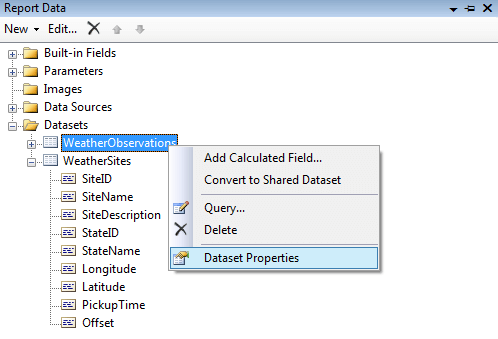
You may run into situations when a dataset provides more information than what is needed for a report. Thankfully, data can be filtered in a few locations in a report. The first is at the dataset level. In order to filter the dataset right-click on the dataset and Choose Dataset Properties:
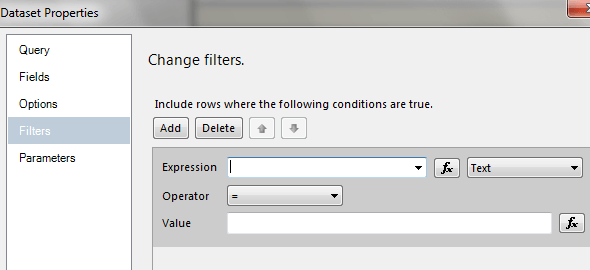
Once the Dataset Properties window opens choose Filters:
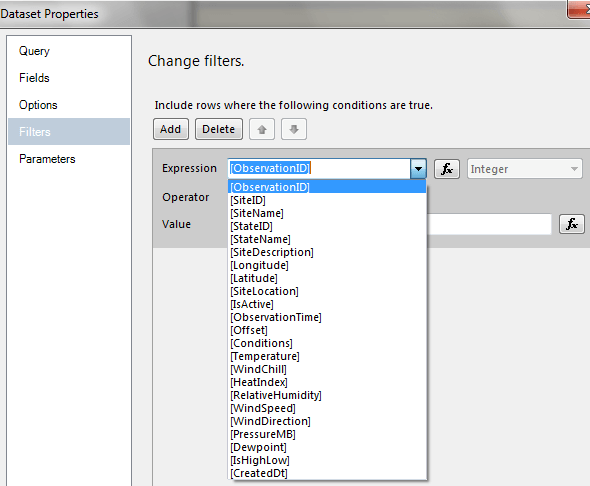
Select one of the fields in the dataset:
Select the type of filtering you want:
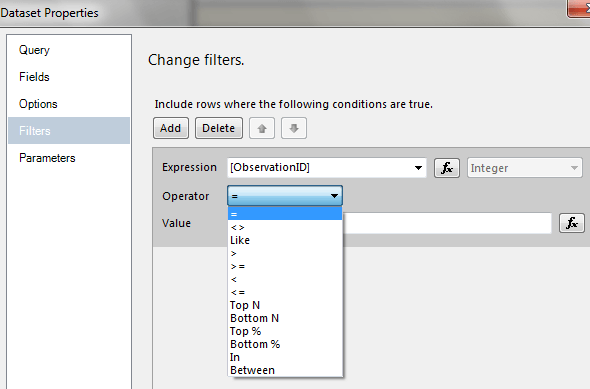
Finally, enter the criterion for the filter and click OK.
Another location where a dataset can be filtered is in a table, or tablix. The interface for setting up filtering at the tablix level is similar to setting it up for the dataset. The only differences are:
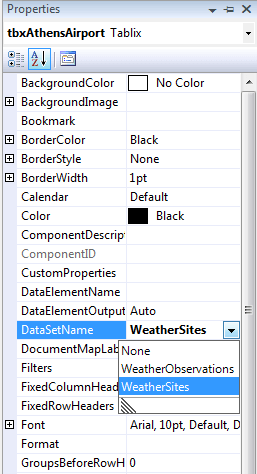
1. The DataSetName property of the tablix should be set to the relevant dataset:
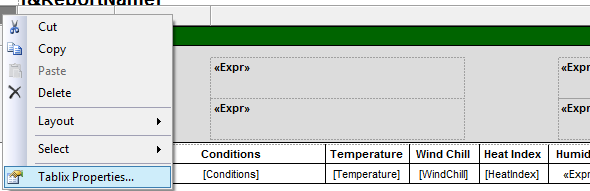
2. When you click inside a tablix an outer rectangle will appear with a square in the upper left-hand corner. Right-click the square and choose Tablix Properties:
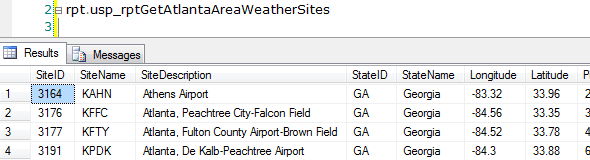
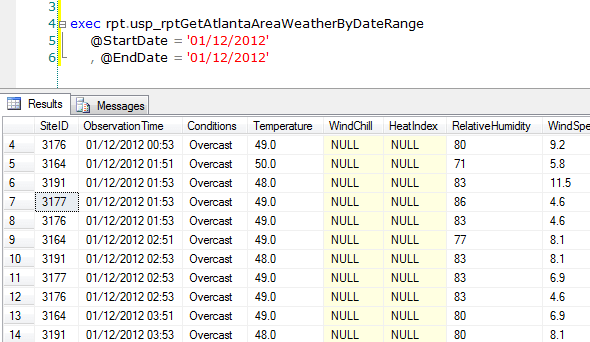
For the example I am building a report that will display weather observations for selected sites around the Atlanta area; however, I want each site to be shown separately (the data was collected from the National Weather Service). I have two datasets available-one that has information about the collection sites and another that has the actual weather conditions for the sites. Below are samples of each dataset:
| Site Information |
|
| Weather conditions |
|
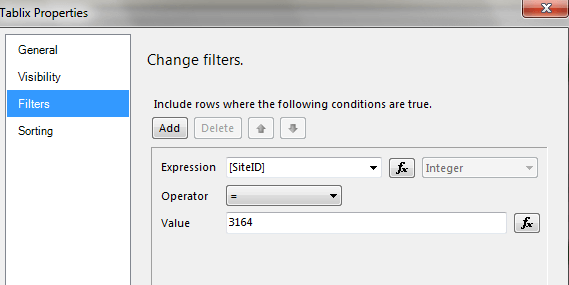
Notice in each dataset that there are multiple sites. In general I will create two tablixes per site: one to show information about the site and the other to show the observations for the site. Below is an example of the filters where I'm filtering on a particular Site ID:
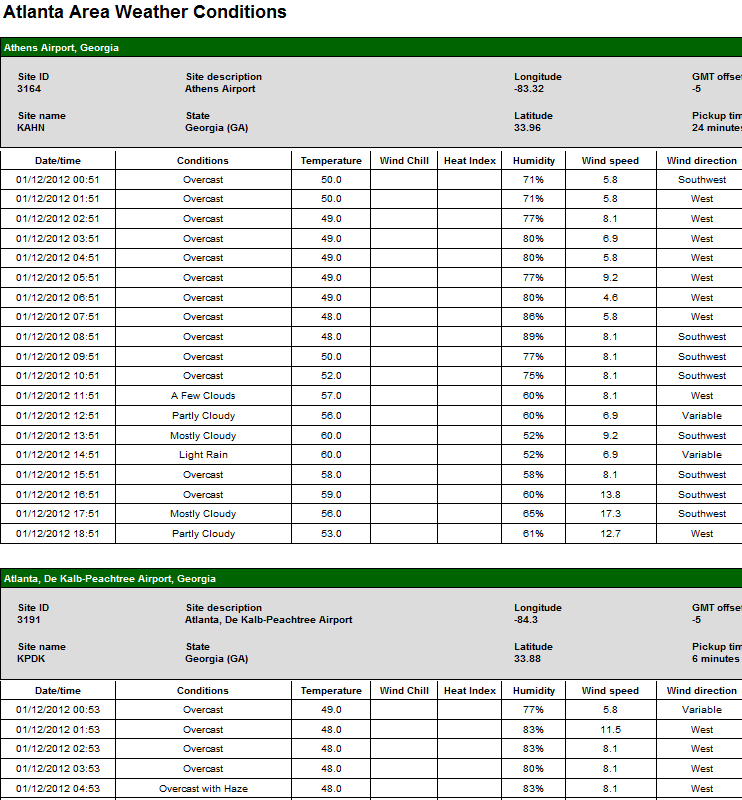
Below is a sample of the final report rendering, showing that each area has been filtered by Site ID:
Next Steps
- There are always a number of ways to create reports and other objects; this is just one example of how it can be done.
- Thanks to the National Weather Service for the public use of their servers and data. Read the disclaimer for additional information.
- Find out more about Filter Equation Examples.
- Read about the Tablix Data Region in SQL Server Reporting Services.
- Read more about Adding Dataset Filters, Data Region Filters, and Group Filters.
- Read more Reporting Services Development tips
- Check out the SQL Server Reporting Services Tutorial






About the author
 Tim Cullen has been working in the IT industry since 2003 and currently works as a SQL Server Reports Developer.
This author pledges the content of this article is based on professional experience and not AI generated.
View all my tips
