By: Jeremy Kadlec | Comments (9) | Related: More > DBA Best Practices
Problem
I have seen your recent tips (Introduction to Windows PowerShell for the SQL Server DBA Part 1, Introduction to Windows PowerShell for the SQL Server DBA Part 2 and PowerShell Support in SQL Server 2008 - Invoke-Sqlcmd Cmdlet) on PowerShell and see value in them. Unfortunately, we do not have PowerShell installed on our SQL Servers and I am not sure when that is going to happen. Until that day arrives could you give me some insight into valuable DOS commands that I can leverage in administrative and research situations on my SQL Servers?
Solution
PowerShell offers a great deal of value, but if it is not installed on your SQL Servers, then working through that process in some large organizations could take time. I would recommend moving down that path, but until that day comes, there are some DOS commands that can be valuable as well.
In an earlier tip (Accessing the Windows File System from SQL Server) we outlined some options to access files and directories, so be sure to check that out. To build on those commands let's see how to do the following:
- File management
- Copy, cut, paste, move, delete, etc. files
- Create and remove directories
- Troubleshooting and Research
- Gather system information - Winmsd
- Validating a machine is online after a reboot - Ping
- Active Ports - netstat
- Network cards - ipconfig
- Free disk space - master..xp_fixeddrives
- Directory structure - master..xp_subdirs
Before we go too far down this path, using these commands in SQL Server is based on having the extended stored procedure master..xp_cmdshell enabled. In SQL Server 2000, in general this was accomplished by having SQL Server System Administrator rights. In SQL Server 2005, the master..xp_cmdshell extended stored procedure is enabled by using the Surface Area Configuration manager. In SQL Server 2008, enabling the master..xp_cmdshell extended stored procedure is accomplished by properly configuring the correct facet.
File Management
One set of logic I have used time and time again in T-SQL administrative scripts is related to file management. Whether it is from an automated maintenance task or backup\recovery\log shipping, managing files has been a necessity.
|
DOS File Management Commands |
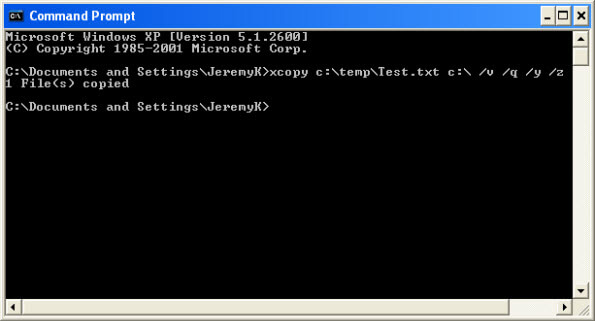
| Copy and Paste Files - The xcopy command is handy when you need to copy and paste files from one directory to another. In the example below we are copying the Test.txt file in the C:\temp directory to the root of the C:\ drive. The /v switch verifies the file as it is written to the destination directory, the /q suppresses the display of messages, /y switch indicates that suppresses a prompt to overwrite an existing file and the /z switch copies the file in a mode where the file could be restarted. This command has additional options available than the copy command related to including subdirectories, archived files, verifying files, etc. |
|
|
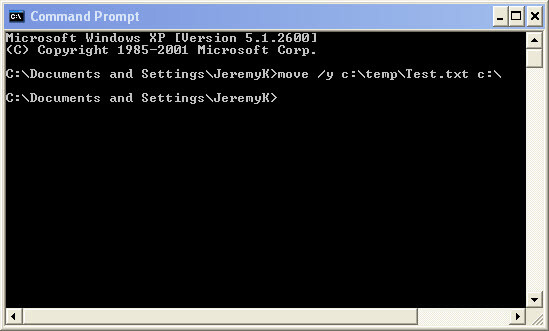
| Cut and Paste Files - When it comes to cutting and pasting files, I prefer to use the move command. It is a simple command with a single switch to suppress any prompting followed by the source file and destination directory. Another alternative is to use the xcopy command listed above and then one of the delete commands listed below for more advanced deleting techniques. |
|
|
| Delete Files - Deleting files is imperative to ensure disk drives to not fill up. Although disk is cheap at some point it gets expensive to manage (people) and power the SAN\NAS\DASD devices. |
| Here are a few different tips that have already been written on the topic: |
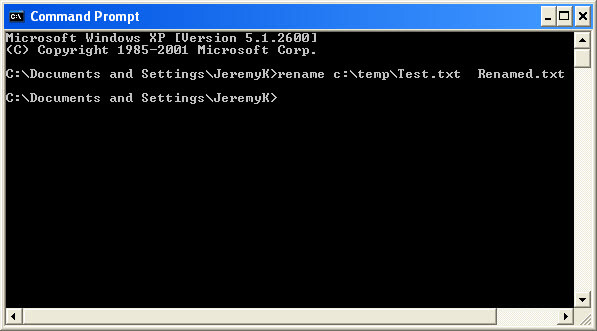
| Rename Files - Since we are talking about files, in many of the scripts I have written I have renamed files so it is easy to determine that they have been processed. At the most simple level, the rename command can be called with the current directory and file name followed by the new file name. |
 |
| Create Directories - In the example code below, we are creating a new directory based on the current date with the mkdir DOS command. |
| -- 1 - Declare variables DECLARE @CMD1 varchar(8000) DECLARE @RestoreRootDirectory varchar(255) DECLARE @CurrentDate datetime DECLARE @CurrentName varchar(8) -- 2 - Initialize variables SET @RestoreRootDirectory = 'C:\Temp\' SET @CurrentDate = GETDATE() SELECT @CurrentName = CONVERT(varchar(8), @CurrentDate, 112) -- 3a - Create the current directory -- SELECT @CMD1 EXEC(@CMD1) -- 3b - Test the error value BEGIN RAISERROR ('3a - Restore directory not created', 16, 1) RETURN END |
| Remove Directories - In the example code below, we are removing a directory based on the the current date minus one. |
| -- 1 - Declare variables DECLARE @CMD1 varchar(8000) DECLARE @RestoreRootDirectory varchar(255) DECLARE @CurrentDate datetime DECLARE @PreviousName varchar(8) -- 2 - Initialize variables SET @RestoreRootDirectory = 'C:\Temp\' SET @CurrentDate = GETDATE() SELECT @PreviousName = CONVERT(varchar(8), @CurrentDate-1, 112) -- 3a - Drop the previous directory -- SELECT @CMD1 EXEC(@CMD1) -- 3b - Test the error value BEGIN RAISERROR ('3a - Restore directory not deleted', 16, 1) RETURN END |
Troubleshooting and Research
|
DOS Troubleshooting and Research Commands |
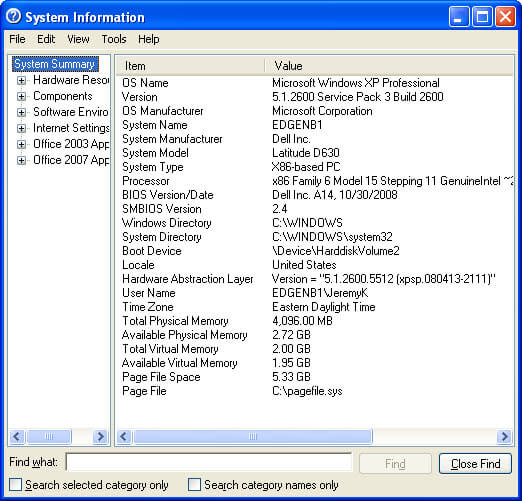
| Gather system information - Winmsd can be invoked directly from the Start | Run command by typing in WINMSD. With this command you are able to get a basic set of information about the machine. |
|
|
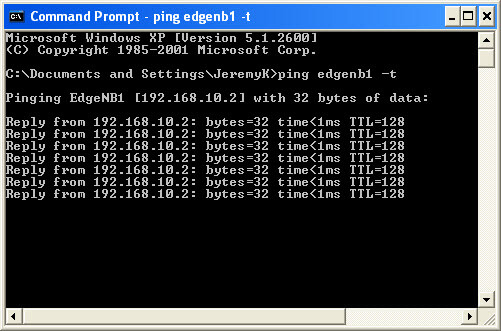
| Validating a machine is online after a reboot - Although the ping command will not tell you when your application is operational after a reboot, it will let you know when Windows should be operational so you can begin to validate SQL Server has recovered and the application is operational. |
|
|
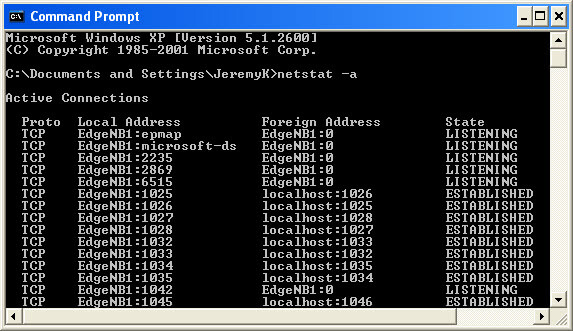
| Active Ports - The netstat -a command is valuable to provide the active TCP connections with the TCP and UDP ports the SQL Server is listening on. |
|
|
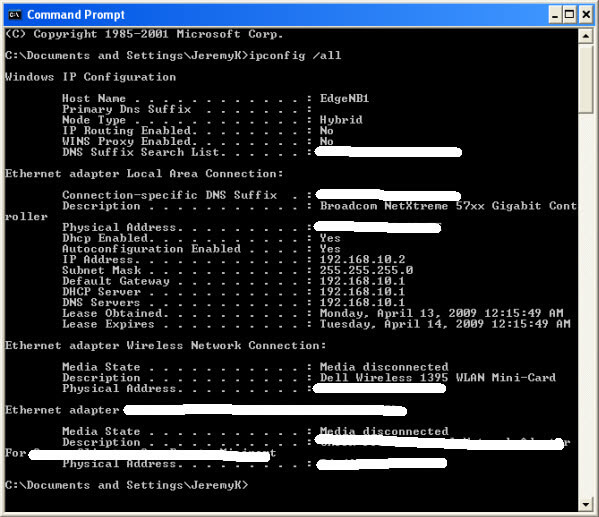
| Network Cards - Another command for general troubleshooting is the ipconfig command. In this example we are listing all of the information across each of the NICs, but this command does offer more options in terms of flushing DNS, releasing DNS, renewing DNS, etc. |
|
|
| Free disk space - The master..xp_fixeddrives extended stored procedure lists the free space in MB per disk drive. One situation I have run into with processes requiring a significant amount of disk space on a monthly basis is to check the free disk space prior to running the remainder of the code. It is frustrating to have a process run for an extended period of time only to find out sufficient disk space was not available in the first place. Check out the Determine Free Disk Space in SQL Server with T-SQL Code tip for additional information. |
| EXEC master.sys.xp_fixeddrives GO |
| Directory structure - The master..xp_subdirs extended stored procedure provides the ability to capture the sub directories. |
| EXEC master.sys.xp_subdirs 'c:\' GO |
Next Steps
- As you are faced with more situations where you need to access the Windows file system, be sure to see what options are available with extended stored procedures, DOS and PowerShell.
- As your organization has time, be sure to check out PowerShell to see how this new product can improve your overall infrastructure management.
- For more information about master..xp_cmdshell visit:
- For more information about PowerSheel visit:






About the author
 Jeremy Kadlec is a Co-Founder, Editor and Author at MSSQLTips.com with more than 300 contributions. He is also the CTO @ Edgewood Solutions and a six-time SQL Server MVP. Jeremy brings 20+ years of SQL Server DBA and Developer experience to the community after earning a bachelor's degree from SSU and master's from UMBC.
This author pledges the content of this article is based on professional experience and not AI generated.
View all my tips
