By: K. Brian Kelley | Comments (2) | Related: > Security
Problem
I have several objects, all in the same schema. Because of this, ownership chaining is working, as described in this previous tip. However, I don't want ownership chaining to be on, but I need the objects to remain in the same schema. How can I do this?
Solution
In SQL Server 2005/2008, the objects we typically work with, like tables, views, and stored procedures, are contained in a schema. All schemas have owners, but the objects they contain, by default, do not have owners. For instance, the table MyTable sitting in the MySchema schema doesn't have an owner, but the MySchema schema does. In these cases, SQL Server takes the owner of the schema and treats that as the owner of the object. So consider the case where you have the following objects: a table, MyTable, which is referred to by a stored procedure, MyProc.
Let's set up the scenario:
USE MSSQLTips; |
And let's create the objects in the MySchema schema:
-- Create objects to show ownership chaining |
Now, if we execute as TestUser, we'll see that the stored procedure works, because there is an ownership chain.
-- script 3 |
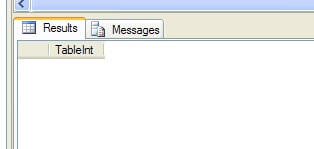
This is because neither MyTable nor MyProc has a specified owner. As a result, SQL Server is using the owner of the schema as the owner of both objects. Since the owner is therefore one and the same, dbo, for both objects, the ownership chain forms. Here is the result for running this query. Note: the result set is empty, because we did not insert any rows into the table.
If we want the ownership chain to be broken, we need to change the owner of either the table or the stored procedure to something other than dbo, since that's the owner of the schema. We can accomplish this by either using an existing user in the database or by creating a new one and then executing an ALTER AUTHORIZATION on one of the two objects. For instance:
CREATE USER SecondOwner WITHOUT LOGIN; |
And now if we go back and execute the code from script 3 again as TestUser, we'll get an error. This is because there is no longer an ownership chain in effect and the TestUser database principal does not have SELECT permissions against the table:

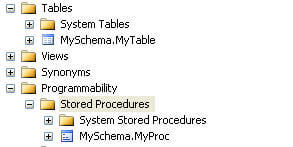
Also, if we look in SQL Server Management Studio we can see the objects are still in the same schema.
So simply by changing the owner for one of the objects using ALTER AUTHORIZATION, we can break the ownership chain. This should be used with caution, however, as it is easy to overlook this when troubleshooting why something doesn't work since we're so used to having all objects within a given schema "owned" by the schema owner. Also, if the need is to only break the ownership chain on a handful of referring objects, like a few of the stored procedures, then the owner on them should be changed and not the referred to object (the table). This will ensure that other objects referencing the table will still use ownership chaining and will minimize the changes you'll need to make.
Next Steps






About the author
 K. Brian Kelley is a SQL Server author and columnist focusing primarily on SQL Server security.
This author pledges the content of this article is based on professional experience and not AI generated.
View all my tips
