By: Thomas LaRock | Comments (1) | Related: > Policy Based Management
Problem
You need to quickly ascertain if any linked servers for your SQL Servers have had recent configuration changes. In this tip we cover the step by step process for setting up a policy to check for when there have been any linked server changes to your servers.
Solution
SQL Server 2008 introduced Policy Based Management (PBM) which you can use to determine which linked servers have had recent configuration changes. Below is the step by step process to set this up.
If you are not familiar with Policy Based Management (PBM) you can review these articles:
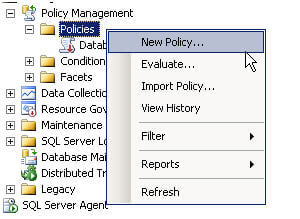
PBM contains a facet named 'Linked Server', and this facet has a property named 'DateLastModified'. You can use this property to build your condition and policy. Right click on policies and select 'New policy...'
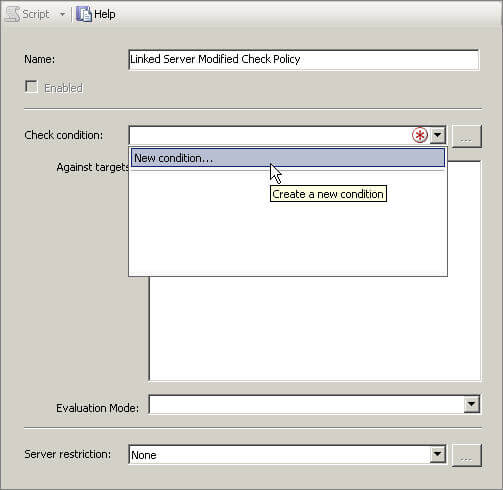
In the name field enter in 'Linked Server Modified Check Policy', then click on the arrow in the Check condition dropdown and select 'New condition...':
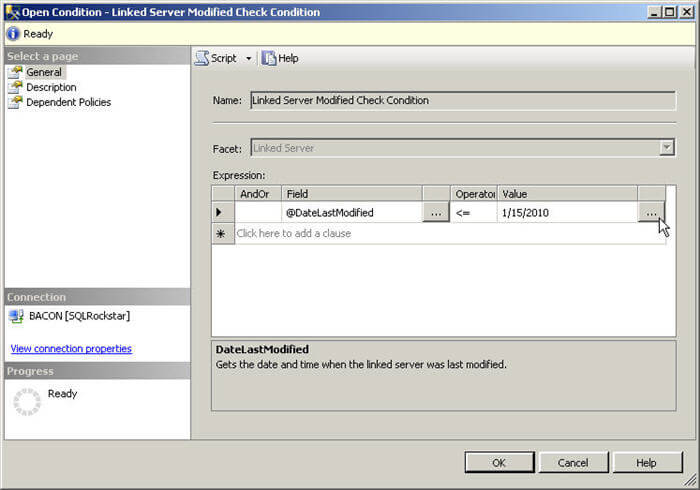
In the name field enter 'Linked Server Modified Check Condition'. For the Facet select 'Linked Server', then click on the 'Field' dropdown. Select 'DateLastModified', set the operator to be less than or equal to, and then click on the far right ellipses.
In this screen you will want to enter in the following statement:
DateAdd('day', -7, GetDate())
|
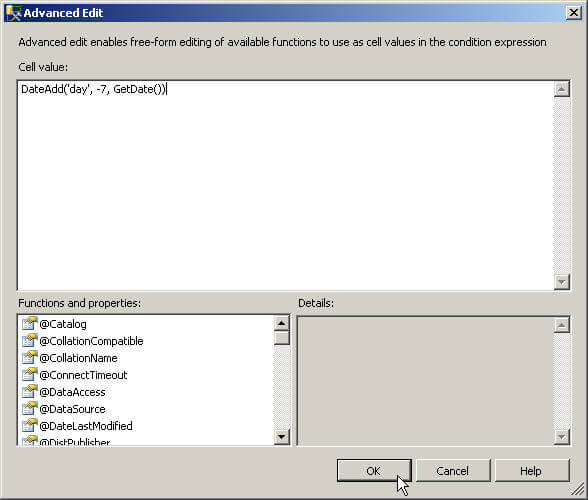
Click 'OK' twice, you should see the following:
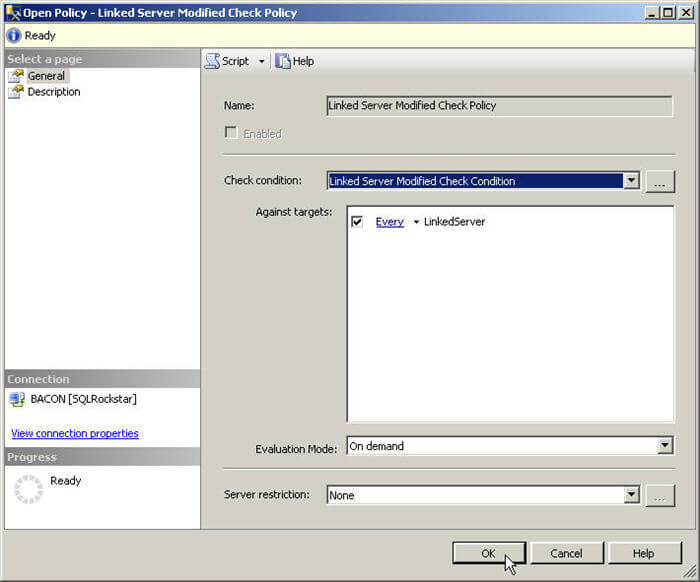
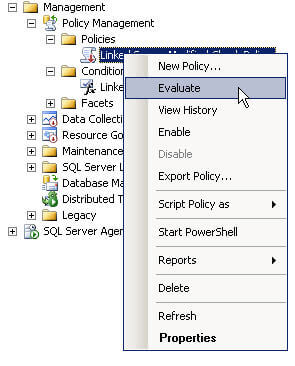
Your policy is created, next up is to evaluate, right click on the policy and select evaluate:
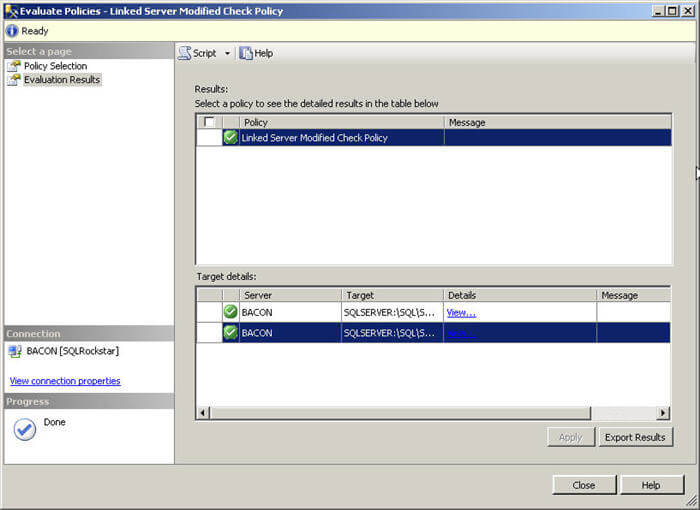
Result
Here is a screenshot of a sample result set returned by the policy.
Next Steps
- Read more about setting up policies in SQL Server 2008
- Navigate to an instance of SQL 2008 and create the policy as outlined above.






About the author
 Thomas LaRock is a Head Geek at SolarWinds and a Microsoft Certified Master, Microsoft Data Platform MVP, VMware vExpert, and a former Microsoft Certified Trainer with over 20 years’ experience.
This author pledges the content of this article is based on professional experience and not AI generated.
View all my tips
