By: Daniel Calbimonte | Comments (19) | Related: More > Integration Services Development
Problem
Many people want to create a customized migration process using SQL Server Integration Services (SSIS), but it is hard to start working with heterogeneous databases like MySQL, Postgres, DB2, etc. Check out this tip to learn about how to import data from heterogeneous databases like MySQL to SQL Server.
Solution
In this example, the database used to import data from is the Test Database in MySQL which is installed by default. We will import data from MySQL to SQL Server using SQL Server Integration Services.
MySQL Prerequisites
To follow the steps in this tip it is necessary to have the following software installed:
- The MySQL database
- The MySQL Connector Installed, this will install a MySQL ODBC driver
Let's create a table in MySQL called myTable with a column called myColumn then insert some data in the table:
use MySQL;
create table myTable(myColumn varchar(20));
insert into myTable(myColumn) values("John");
insert into myTable(myColumn) values("Jane");
insert into myTable(myColumn) values("Arnold");
insert into myTable(myColumn) values("Jessica");
Using SQL Server Integration Services to import data from MySQL to SQL Server
Here are the steps to create the SSIS project:
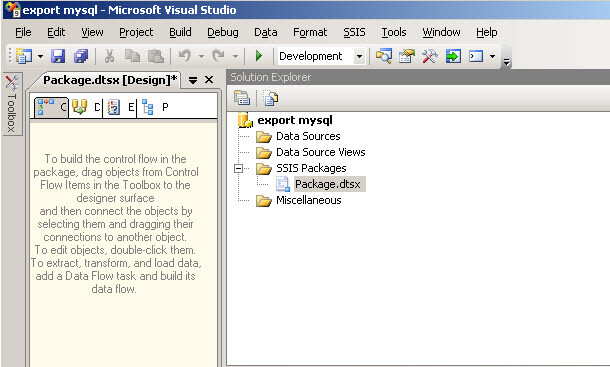
- Start SQL Server Business Intelligence Development Studio and start an Integration Service Project.
- Create a new project and select Integration Services Project.
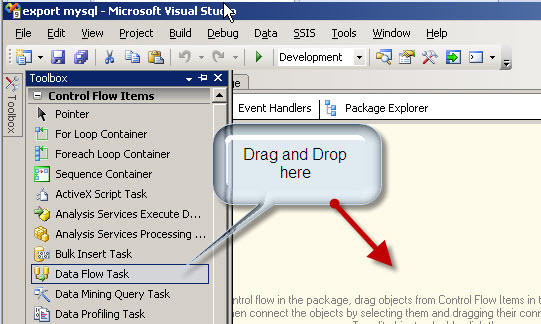
- In the toolbox drag and drop the Data flow task onto the design surface of the Control Flow tab.
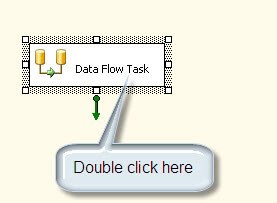
- Double click in the Data Flow task in the Design pane.
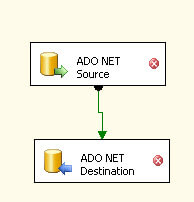
- In the Data Flow tab, drag and drop the ADO.NET Source and ADO.NET Destination to the design pane, join both tasks with the green arrow.
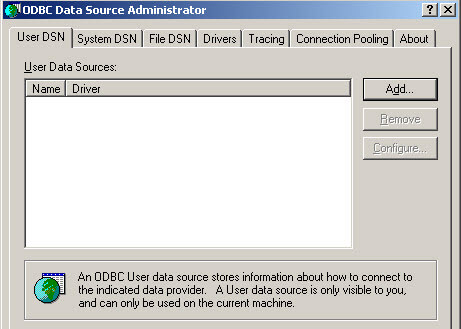
- Go to Windows start menu | Administrative tools | Data Sources (ODBC) and click the Add button.
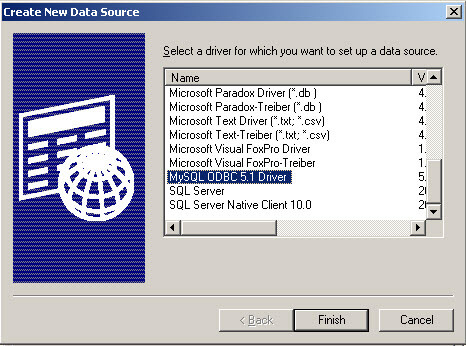
- Select the MySQL ODBC driver and press Finish. Please note this driver is installed with the connector specified in the prerequisites section above.
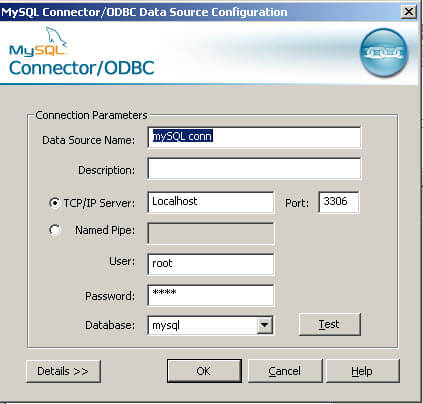
- Specify the Data Source Name. e.g. "MySQL conn".
- Specify the TCP/IP Server. It can be the IP or the localhost if the machine used is the local machine.
- Specify the user, in this case root and the password. Ask to the MySQL administrator if you do not know the user database password).
- Select the MySQL database.
- Congratulations! You have a ODBC connection. Now let's use it in SSIS and return to the SSIS project.
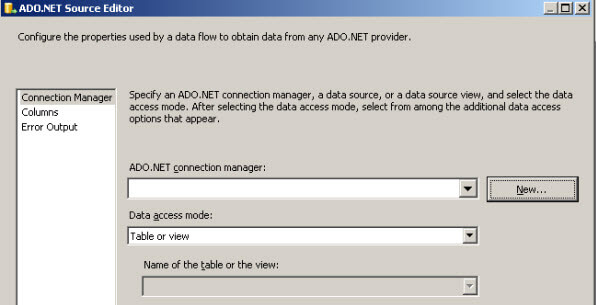
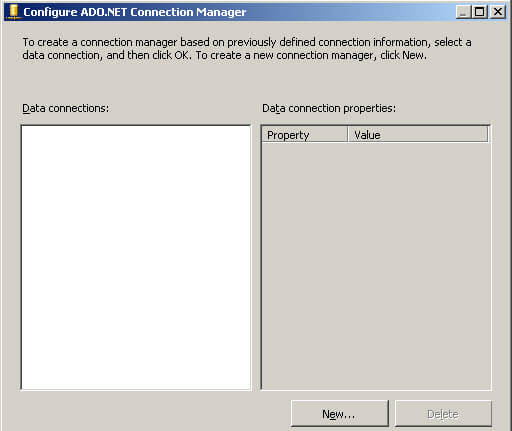
- Double click in the ADO Net Source and press the new button.
- Press the new button again to add a connection.
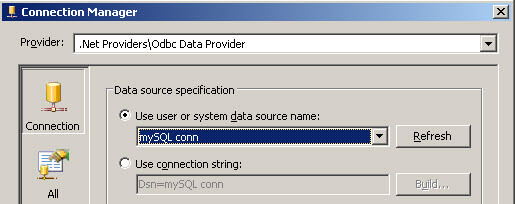
- This is important, in the provider, select the .NET Providers\ODBC Data Provider. The ODBC connection will be displayed. Select the connection created in step 8 and press OK.
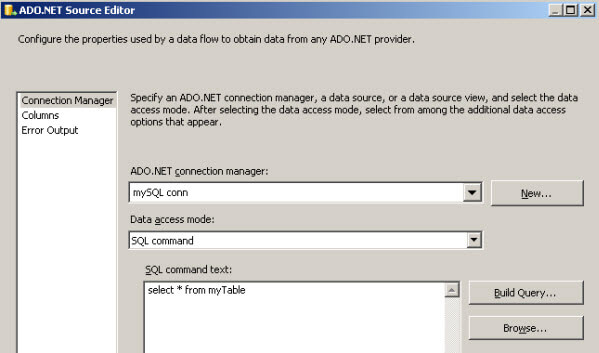
- In the ADO.NET source editor, in Data access mode, select SQL Command.
- In the SQL command test, write "select * from myTable" and press OK. In this step you are writing the query to access to MySQL table created at the beginning.
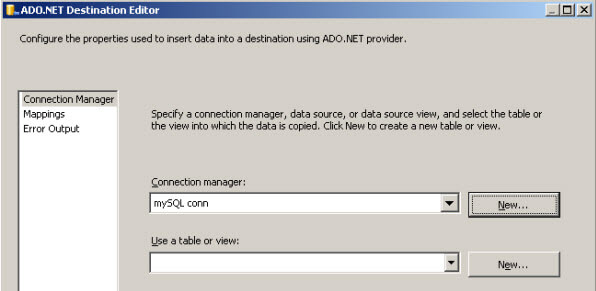
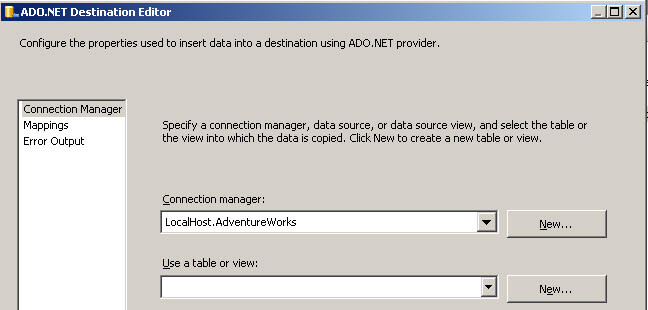
- Double click in the ADO.NET Destination task and in the Connection manager press New.
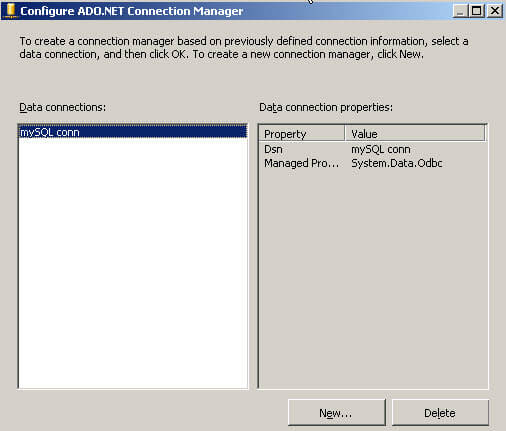
- In the Configure ADO.NET Connection Manager press new again.
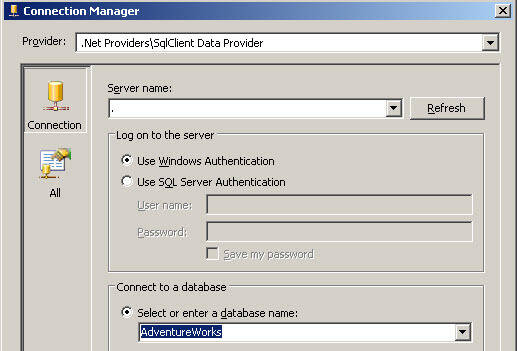
- In the connection manager specify the SQL Server instance name (in this example the localhost is a dot) and select a Database where you want to import the MySQL Database and press OK. In this example the Adventureworks database is used, but any database can be used instead.
- In the ADO.NET Destination Editor, click new in the Use a table or view option.
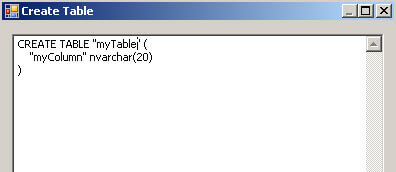
- In the Create Table box, use this code:
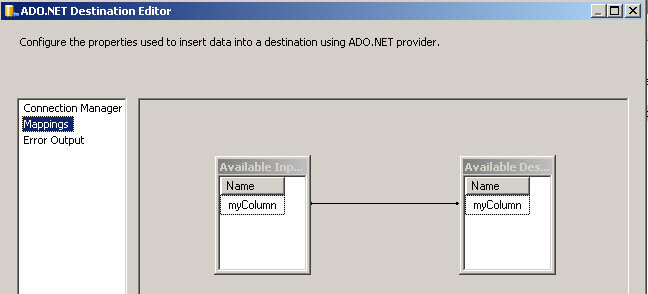
- In the ADO.NET Destination Editor, click the Mapping page and press OK.
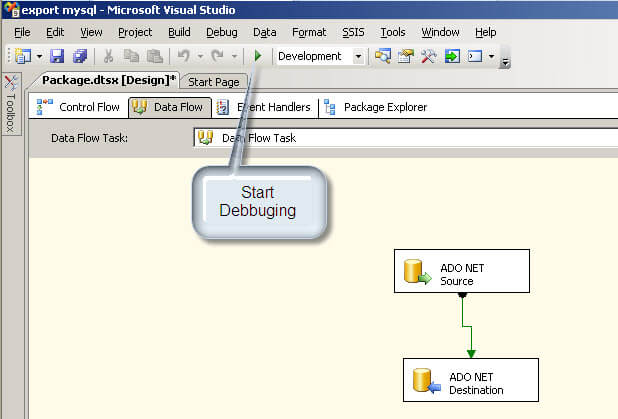
- We are ready. Press the Start Debugging icon as shown below.
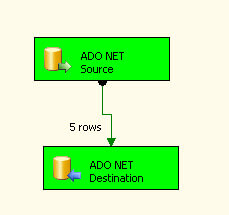
- You will see the tasks in green which means the tasks were completed successfully with the associated row count.
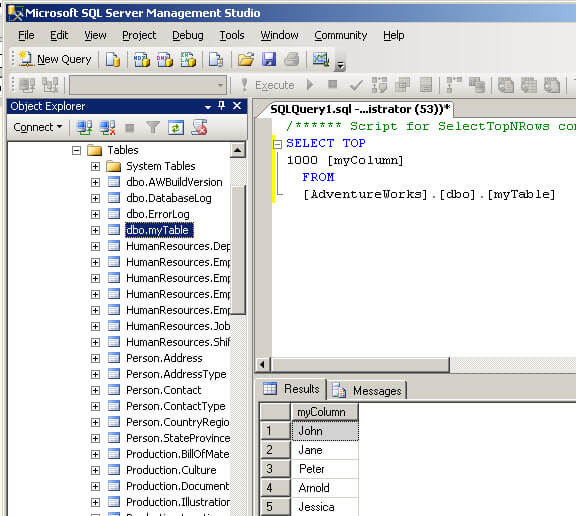
- Last, but not least, open the Microsoft SQL Server Management Studio and verify in the instance and database used that the new table myTable was created and also that it contains the data specified.
 CREATE TABLE "myTable" (
  "myColumn" nvarchar(20)
)
Next Steps
- SSIS enables you import and export data from multiple sources. With the providers help, it is possible to interact not only with MySQL, but with just about any data source.
- Review the following tips and other resources:






About the author
 Daniel Calbimonte is a Microsoft SQL Server MVP, Microsoft Certified Trainer and 6-time Microsoft Certified IT Professional. Daniel started his career in 2001 and has worked with SQL Server 6.0 to 2022. Daniel is a DBA as well as specializes in Business Intelligence (SSIS, SSAS, SSRS) technologies.
This author pledges the content of this article is based on professional experience and not AI generated.
View all my tips
