By: Kun Lee | Comments (26) | Related: 1 | 2 | 3 | 4 | 5 | > Microsoft Excel Integration
Problem
Loading data from SQL Server to Excel is a common practice in many automated and ad-hoc processes completed by DBAs on a daily basis. Traditionally loading data from Excel to SQL Server has been completed by DTS, SSIS, BCP, OPENROWSET, Import\Export Wizard, etc. Unfortunately, for a simple ad-hoc process this can be a time consuming task with a fair amount of clicks and\or coding. With all of the new features in SSMS, are any new tricks available to streamline the Excel to SQL Server loading process?
Solution
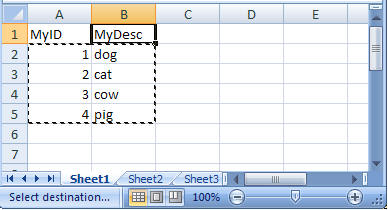
Yes - SQL Server Management Studio provides the ability to copy and paste columns directly from Excel to SQL Server when the table and column names match up. Let's walk through a simple example. Assume you have a database called 'Test' with a table called 'MyTable' consisting of two columns (MyID, MyDesc). In addition, you have an Excel worksheet where you want to load data directly from Excel to SQL Server. Let's walk through setting up and testing that scenario.
Step 1 - Create the Database and Table
 CREATE DATABASE Test
GO

CREATE TABLE [dbo].[MyTable](
      [MyID] [int] NOT NULL,
      [MyDesc] [varchar](100) NOT NULL)
Step 2 - Open the Excel worksheet, select data only and copy the data 'Ctrl +C'
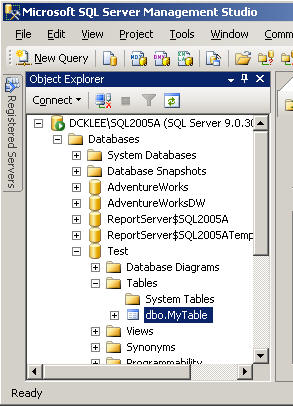
Step 3 - Open SQL Server Management Studio and navigate to the table
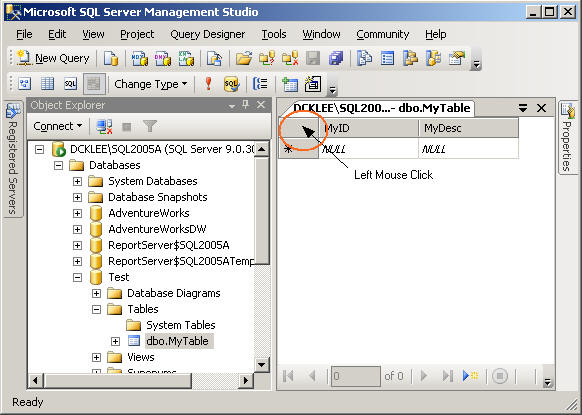
Step 4 - Right click on dbo.MyTable, choose 'Open Table' then left click on below area
Step 5 - The area below will be highlighted, then right click and choose 'Paste'
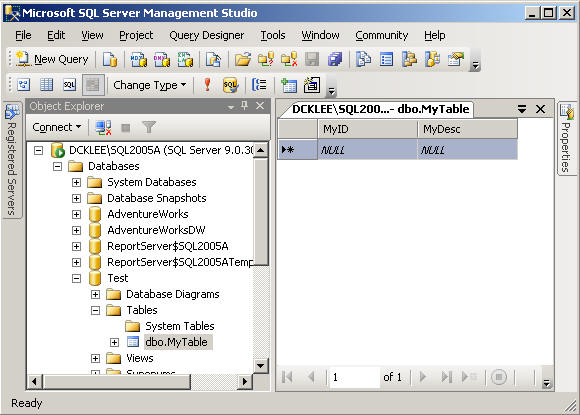
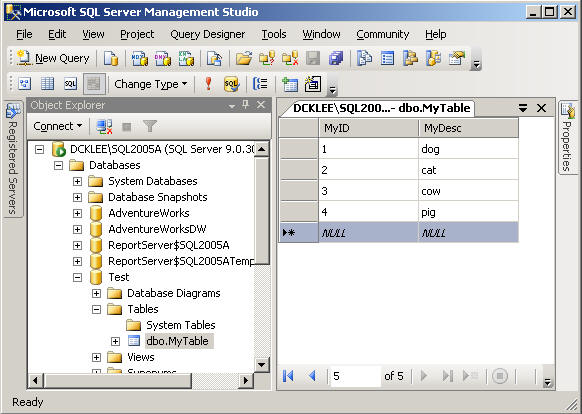
Step 6 - Validate the data will be inserted into the table
Next Steps
- The next time you are faced with an ad-hoc need to copy data directly from Excel to SQL Server, consider this tip as an option to complete the request.
- For steps on copying column headers back to Excel, be sure to to check out this tip - Copying column headers with grid query results.
- For additional information related to Excel and SQL Server integration check
out these tips:
- Export data from SQL Server to Excel
- SQL Server 2000 to 2005 Crosswalk - The SQL Server Import and Export Wizard
- SSIS - How to strip out double quotes from import file
- Different Options for Importing Data into SQL Server
- Making data imports into SQL Server as fast as possible
- Importing Excel data using SSIS and dealing with unicode and non-unicode data issues






About the author
 Kun Lee is a database administrator and his areas of interest are database administration, architecture, data modeling and development.
This author pledges the content of this article is based on professional experience and not AI generated.
View all my tips
