Problem
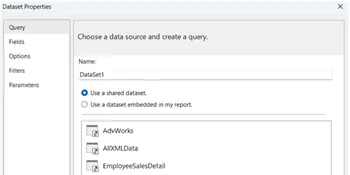
I’m creating a SQL Server Reporting Services (SSRS) report based on datasets that I have no control over and they have more data in the result set than what is required for the report. Is there a way that I can filter the datasets inside the SSRS report itself? Check out this tip to learn more.
Solution
You may run into situations when a dataset provides more information than what is needed for a report. Thankfully, data can be filtered in a few locations in a report. The first is at the dataset level. In order to filter the dataset right-click on the dataset and Choose Dataset Properties:
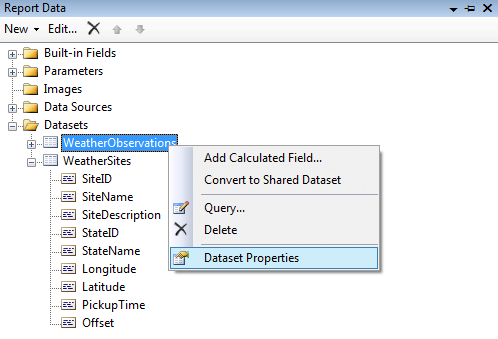
Once the Dataset Properties window opens choose Filters:

Select one of the fields in the dataset:

Select the type of filtering you want:
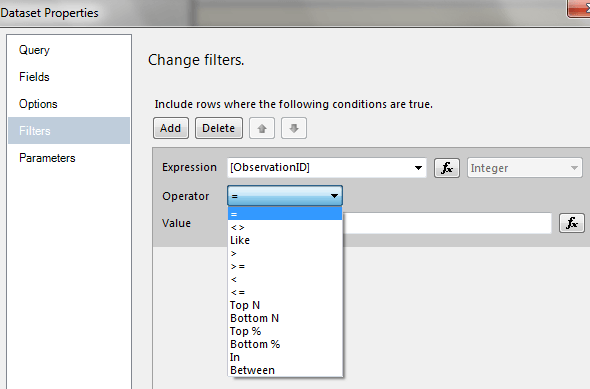
Finally, enter the criterion for the filter and click OK.
Another location where a dataset can be filtered is in a table, or tablix. The interface for setting up filtering at the tablix level is similar to setting it up for the dataset. The only differences are:
1. The DataSetName property of the tablix should be set to the relevant dataset:
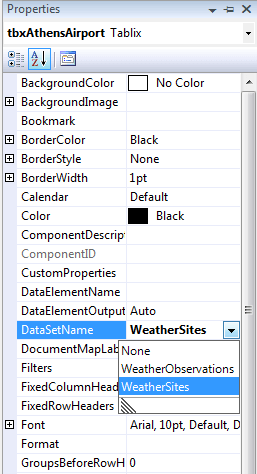
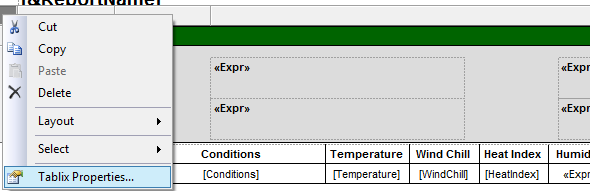
2. When you click inside a tablix an outer rectangle will appear with a square in the upper left-hand corner. Right-click the square and choose Tablix Properties:
For the example I am building a report that will display weather observations for selected sites around the Atlanta area; however, I want each site to be shown separately (the data was collected from the National Weather Service). I have two datasets available-one that has information about the collection sites and another that has the actual weather conditions for the sites. Below are samples of each dataset:
| Site Information |
 |
| Weather conditions |
 |
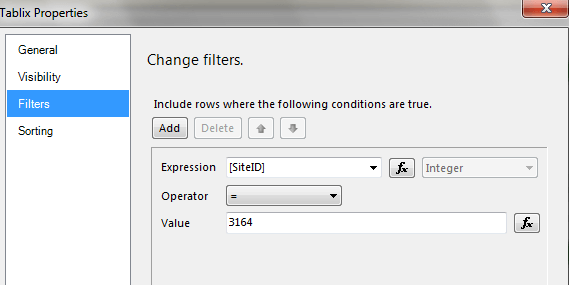
Notice in each dataset that there are multiple sites. In general I will create two tablixes per site: one to show information about the site and the other to show the observations for the site. Below is an example of the filters where I’m filtering on a particular Site ID:
Below is a sample of the final report rendering, showing that each area has been filtered by Site ID:

Next Steps
- There are always a number of ways to create reports and other objects; this is just one example of how it can be done.
- Thanks to the National Weather Service for the public use of their servers and data. Read the disclaimer for additional information.
- Find out more about Filter Equation Examples.
- Read about the Tablix Data Region in SQL Server Reporting Services.
- Read more about Adding Dataset Filters, Data Region Filters, and Group Filters.
- Read more Reporting Services Development tips
- Check out the SQL Server Reporting Services Tutorial

Tim has been working in the IT industry since 2003. After spending a few years as an “IT Generalist”, his career focus turned to SQL Server and application development. He currently works as an IT Specialist for a Federal agency in Maryland, where he focuses on SQL Server administration and providing guidance to teams on SQL Server performance issues. When not working, he enjoys playing golf, playing bass guitar, and exercising.
- MSSQLTips Awards: Trendsetter (25+ tips)