Overview
The RESTORE WITH STATS option allows you to see how far along the restore process is, this can be used for RESTORE DATABASE, RESTORE LOG, RESTORE VERIFYONLY.
Explanation
The RESTORE WITH STATS option will give you an idea of where the restore process currently is an the overall process. This information is presented in percentage of completion. The default is to display after every 10% or a percentage value can be specified. This information is displayed on the Messages tab in your query window.
Restore a full database with default stats setting
The following will show the percentage complete after each 10% segment.
RESTORE DATABASE 'AdventureWorks' FROM DISK = 'C:\AdventureWorks.BAK'
GO
Restore a full database with stats showing for each 1 percent complete
This will show progress after each 1% of completion.
RESTORE DATABASE 'AdventureWorks' FROM DISK = 'C:\AdventureWorks.BAK' WITH STATS = 1
GO
SQL Server Management Studio
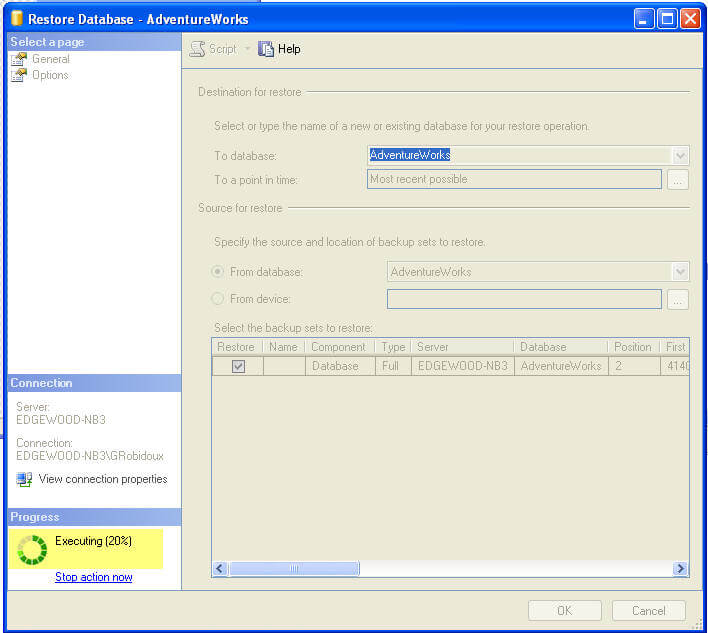
When restoring a database using SSMS, this information is displayed as shown in the highlighted section below. The default is 10% which can not be changed for the GUI.

Greg Robidoux has been working with databases for 35+ years with extensive hands on SQL Server experience from version 6.5 to 2025. He has authored over 250 technical articles and delivered several presentations online and at various conventions. Greg is also the President and founder of Edgewood Solutions, a technology services company delivering services and solutions for Microsoft SQL Server.