Overview
A little-known feature of SQL Server Reporting services is that several options can actually be managed via Management Studio. The three main options center around security role management, shared schedules for subscriptions, and job listings.
Explanation
Role Management
The security Role Maintenance area serves two similar purposes: the creation, maintenance, and deletion of regular roles and the creation, maintenance and deletion of system roles. When you install SSRS, five regular roles (Browser, Content Manager, My Reports, Publisher, and Report Builder) and two system roles (System Administrator and System User) are created as noted below. Each of these roles are assigned a predefined set of permissions or tasks.
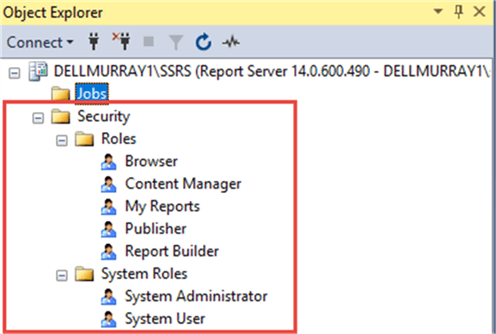
New roles can be added, and existing roles deleted (although I do not recommend deleting any of the predefined roles).

When creating new roles, the role just needs to be named and then the appropriate tasks to be assigned to that role are selected.
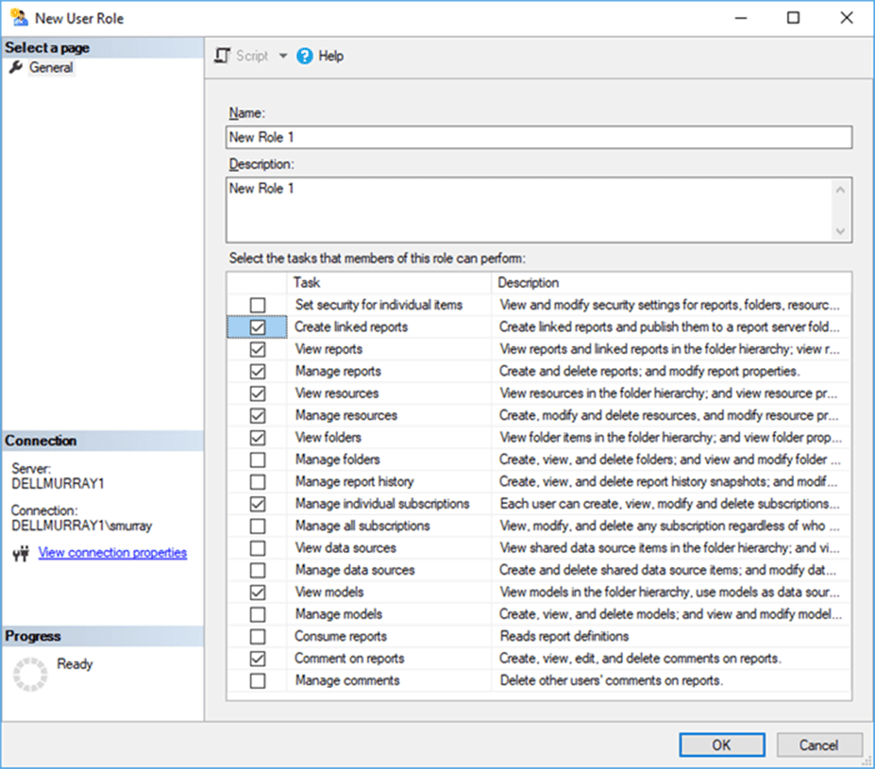
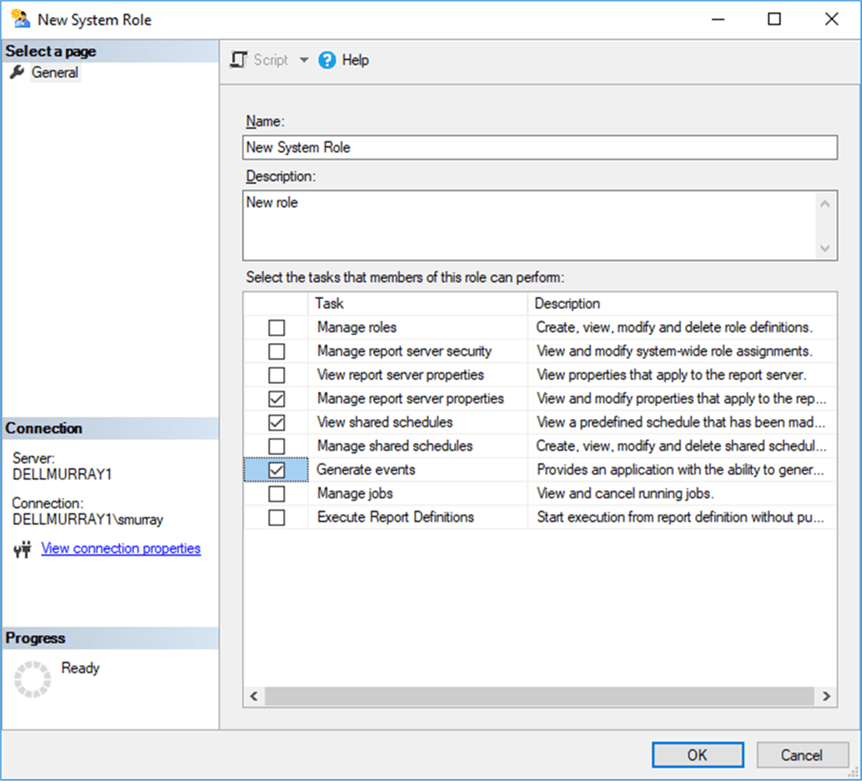
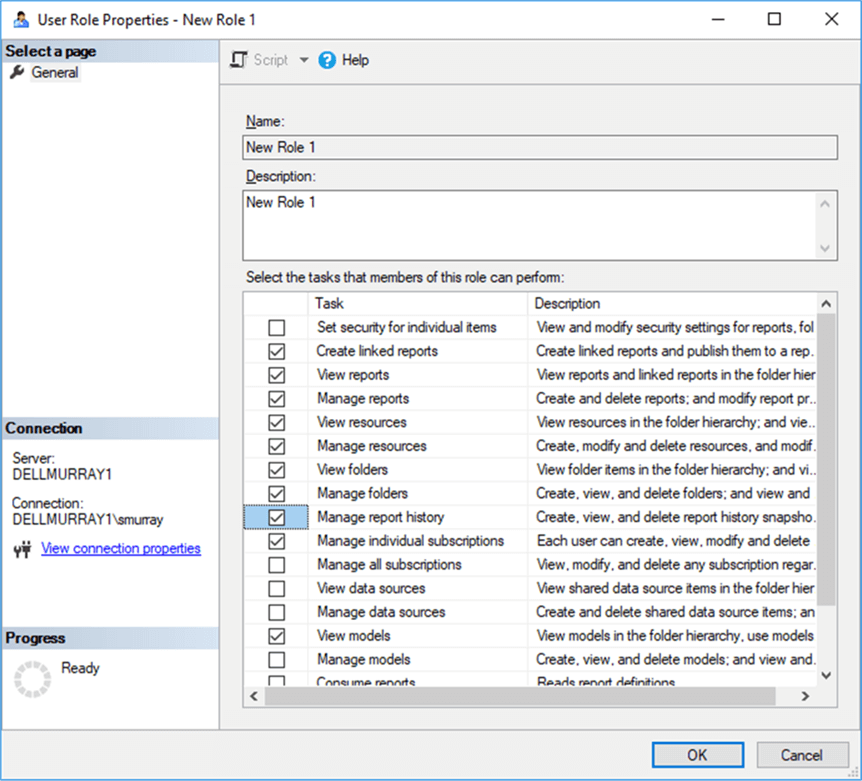
To maintain the role, right clicking on the role and selecting properties provides a way to update the tasks assigned to that role.
Shared Schedule Management
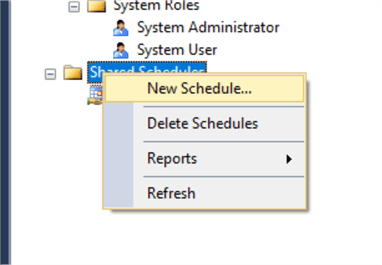
Shared schedules are used by subscriptions to execute reports at predefined times. To create a new schedule, right click on Shared Schedules folder and then click New Schedule.
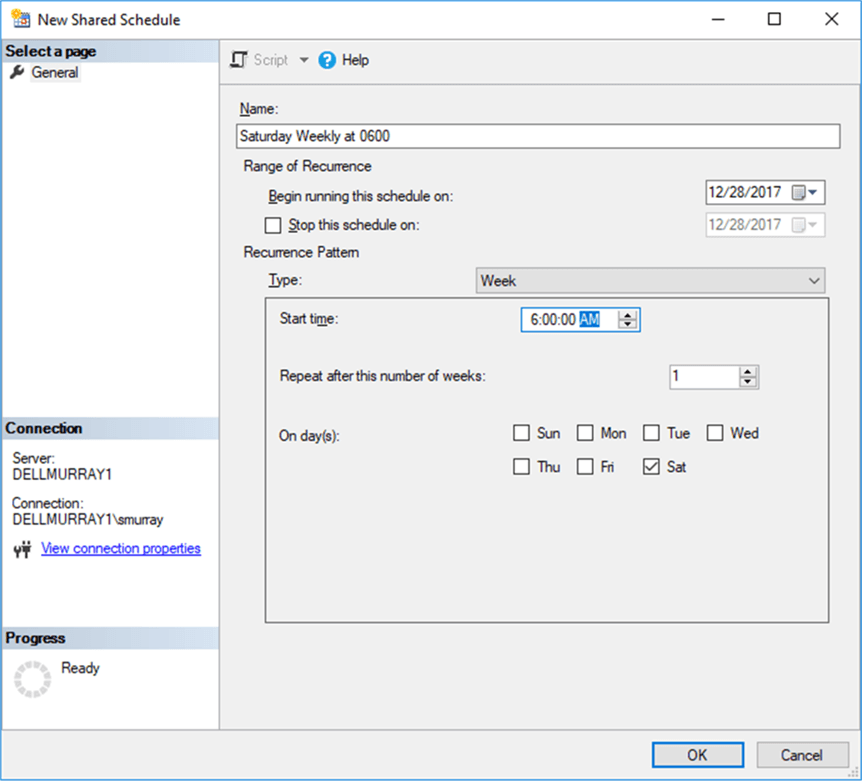
Creating a new schedule is illustrated below. The following items needed to be completed:
- Name
- Start date
- End date (optional)
- Recurrence pattern
Based on the recurrence pattern selected, different scenario and selection boxes will appear in the pattern area. For instance, if you select Week, the repeat interval, the start time, and the days will show (as noted below). When the setup is complete, click OK.
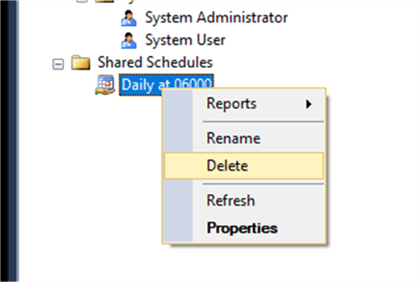
These schedules can be deleted if necessary, or you can select properties to maintain an existing schedule. Care must be taken about deleting schedules as a schedule can be deleted even if it is being used by a subscription.
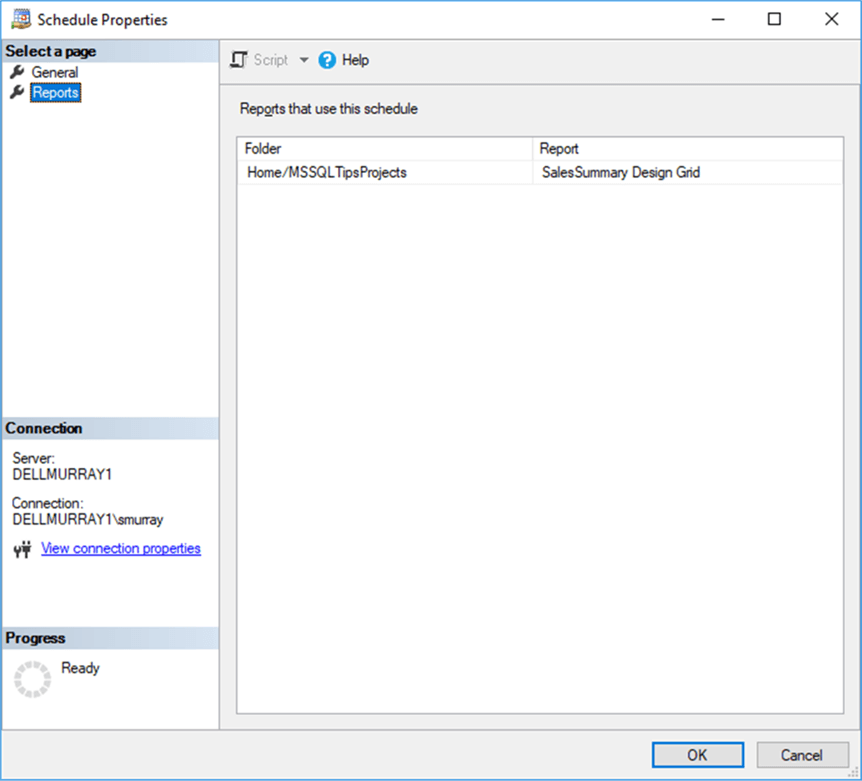
However, within the properties window, clicking on the Reports tab provides a list of all report subscription which use the selected schedule.
Jobs
The Jobs folder allows for the review and canceling of current running jobs. A job in SSRS is any of the following:
- On-demand report run by a user
- Manual creation of a report snapshot
- Manual creation of a report history snapshot
- Currently running standard subscription
- System jobs started by the report server
As shown below, double clicking on a particular job displays the job’s properties including: the status, the type of job, the job action (render meaning the report is being run or rendered on the report server), the report name, the server, the user name, and the start time.

Management Studio provides quick access to several security and subscription features. We will conclude our tutorial series in the next tutorial by discussing backup methods for SSRS.
Additional Information

I have a passion for crafting Business Intelligence Solutions for my user groups. My experience includes almost 15 years of SQL Server involvement with the last 12 years focused specifically on Business Intelligence, SharePoint, OLAP, SSRS, and Decision Support solutions. Currently, I am a Business Intelligence Architect in the healthcare industry, and I also teach database and analytics classes for Kennesaw State University, Southern New Hampshire University, and Reinhardt University. My education includes an MBA and an undergraduate in Accounting (yes I am a reformed accountant!), both from Kennesaw State University. I enjoy every day by trying to grow my faith and spend precious time with my family. I have been happily married to my wife of over 20 years, and we have two teenagers one who we home school with the help of a University Model School, Cornerstone Prep in Acworth, GA (cornerstoneprep.org). Our other child is a Construction Management major at KSU’s Southern Poly / Marietta campus. We are a soccer and Cross Country (XC) family who play, coach, and referee soccer or run for fun most every day. For several years, our family has volunteered (and played with the dogs and cats) at Etowah Valley Humane Society in Cartersville, GA.
- MSSQLTips Awards: Champion (100+tips) – 2016 | Author of the Year – 2015 | Author Contender – 2014, 2016-2021