Problem
Generating random numbers from an exponential distribution is essential for queuing theory, reliability engineering, physics, finance modeling, failure analysis, Poisson process, simulation and Monte Carlo methods, computer graphics, and games. Is it possible to have a Random Exponential Gaussian Numbers function in SQL Server without use of external tools?
Solution
The Ziggurat algorithm is among the fastest and most efficient methods for generating Gaussian random numbers. It uses a called rejection sampling technique speeding it up by partitioning the target probability distribution into slices which will resembling a ziggurat structure. Ziggurat is the name of an ancient Mesopotamian stepped pyramid structure. The technique randomly generates a point in the probability density function and tests if this point is inside the desired distribution, and if not, tries again.
Terms and definitions
- m1 – Used to scale integers to floats in SHR3 function with a constant value of 2^31 = 2147483648.
- m2 – Used to normalize integer values from bitwise generators with a constant value of 2^32 = 4294967296.
- de – X-position where the tail start for the exponential distribution setting the cutoff between rectangular layers and the exponential tail.
- ve – Is the tail area under the exponential curve beyond de.
- te – Often is equal to de and it is used to express tail logic in code.
- ke – Integer cutoff thresholds for fast rejection for exponential tables.
- we – Floating-pointing widths of rectangles for scaling for exponential tables.
- fe – Height of probability density function at rectangle tops calculated by
 .
. - iz – Randomly selects which Ziggurat layer to sample from, usually for exponential from 0 to 255.
- x – It is a candidate sample value that can be rejected or accepted depending of the probability density function test.
- uni – Uniform random value from uni function that is used in rejection sampling logic.
- shr3 – Shift-register random number generator with 3 operations that performs bitwise XOR and shift operations on an internal state (jsr). It is fast with no use of multiplications or divisions.
- jsr – Jump shift register that must be initialized with a random or non-zero seed before calling shr3 function that will change it through the deterministic bit-shift XOR.
- Lambda (λ) – Also called rate parameter, represents the average number of events per unit of time.
- Skewness – Measure of symmetry of a distribution or data set. An exponential distribution has a skewness of two meaning that it is positively skewed.
- Kurtosis – Measure of the tailedness or the concentration of values relative to the mean and it is expected the data to be heavy-tailed. An exponential distribution has a kurtosis of nine and excess kurtosis of six.
- Histogram – Effective graphical technique for showing both the skewness and kurtosis of a data set.
Exponential distribution – probability density function

Ziggurat pre-computation
Before generating any random numbers, the algorithm sets up a table of values that defines the Ziggurat shape.
Ziggurat Method Steps for Exponential Distribution
- Select a Region: A random integer i from 0 to 255 is chosen to select one of the 256 pre-computed regions (either a rectangle or the tail region).
- Generate a Candidate: A uniform random number is generated and scaled by the width of the chosen rectangle. This gives a candidate random number, x.
- Fast Path Acceptance: If the candidate number x is less than the width of the solid part of the rectangle, it is immediately accepted. This is the fastest and most common outcome.
- Rejection Test: If the candidate number falls in the small “overhang” area of the rectangle (the part that is not under the curve), a second random number is generated to perform a rejection test. The number is accepted only if a check confirms it falls under the exponential curve.
- Tail Case: If the initial random number from step 1 corresponds to the tail region, a separate and slightly more complex method (like using the natural logarithm) is used to generate a number from that specific part of the distribution.
SQL Tables
Random Generated Data
This table includes an extra column called src, that I used solely to trace which part of the calculation generated each value pair. This help me to identify the specific calculation step where a problem might occur and I kept it in case you encounter another flaw.
-- MSSQLTips (TSQL)

CREATE TABLE [dbo].[RndGenData](
    [PointId] [int] NOT NULL,
    [x] [float] NOT NULL,
    [y] [float] NOT NULL,
    [src] [smallint] NULL,
 CONSTRAINT [PK_RndGenData_1] PRIMARY KEY CLUSTERED
(
    [PointId] ASC
)WITH (PAD_INDEX = OFF, STATISTICS_NORECOMPUTE = OFF, IGNORE_DUP_KEY = OFF, ALLOW_ROW_LOCKS = ON, ALLOW_PAGE_LOCKS = ON, OPTIMIZE_FOR_SEQUENTIAL_KEY = OFF) ON [PRIMARY]
) ON [PRIMARY]
GO
Pre-computed Exponential distribution values
-- MSSQLTips (TSQL)

CREATE TABLE [dbo].[RndZigguratExp](
    [PointId] [int] IDENTITY(0,1) NOT NULL,
    [ke] [bigint] NULL,
    [we] [float] NULL,
    [fe] [float] NULL,
 CONSTRAINT [PK_RndZigguratExp] PRIMARY KEY CLUSTERED
(
    [PointId] ASC
)WITH (PAD_INDEX = OFF, STATISTICS_NORECOMPUTE = OFF, IGNORE_DUP_KEY = OFF, ALLOW_ROW_LOCKS = ON, ALLOW_PAGE_LOCKS = ON, OPTIMIZE_FOR_SEQUENTIAL_KEY = OFF) ON [PRIMARY]
) ON [PRIMARY]
GO
SQL Functions
Table-Valued Function SHR3
-- =============================================
-- Author:      SCP - MSSQLTips
-- Create date: 20250718
-- Description: SHR3 pseudo-random generator
-- =============================================
CREATE OR ALTER     FUNCTION [dbo].[tvfRndGenSHR3]
                (@jsr bigint
                ,@rectangles int)
RETURNS             TABLE
AS
RETURN
(
    WITH step1 AS
        (SELECT  jsr1 = (@jsr ^ (@jsr << 13)) & 0xFFFFFFFF),
         step2 AS
        (SELECT  jsr2 = (jsr1 ^ (jsr1 >> 17)) & 0xFFFFFFFF
            FROM step1),
         step3 AS
        (SELECT  jsr_final = (jsr2 ^ (jsr2 << 5)) & 0xFFFFFFFF
            FROM step2)
        ,result AS
        (SELECT  shr3 = (@jsr + jsr_final) & 0xFFFFFFFF
                ,jsr_new = jsr_final
            FROM step3)
    SELECT   shr3
            ,jsr_new
            ,CONVERT(float,0.5 + shr3 / 4294967296.0) AS uni
            ,CASE WHEN shr3 >= 2147483648
                  THEN CONVERT(int, shr3 - 4294967296)
                  ELSE CONVERT(int, shr3)
             END AS hz
            ,CASE WHEN shr3 >= 2147483648
                  THEN CONVERT(int, shr3 - 4294967296) & @rectangles
                  ELSE CONVERT(int, shr3) & @rectangles
             END AS iz
        FROM result
);
GO
SQL Store Procedures
Generating Pre-Computed Values for Exponential Distribution
-- =============================================
-- Author:      SCP - MSSQLTips
-- Create date: 20250804
-- Description: Ziggurat Generate Tables
-- =============================================
CREATE OR ALTER PROCEDURE [dbo].[uspRandGenZigguratRExpIni]
WITH EXECUTE AS CALLER
AS
BEGIN;
    SET NOCOUNT ON;
    BEGIN TRY

        DECLARE         @jsr bigint
                    ,@jsrseed bigint
                    ,@m2 float = 4294967296.0
                    ,@q  float
                    ,@de float = 7.6971174701314871
                    ,@te float
                    ,@ve float = 0.0039496598225815718
                    ,@i  int = 0
                    ,@NumRects int = 256;

        SET @jsrseed = FLOOR(RAND(CHECKSUM(NEWID())) * (@m2 - 1));
        SET @te = @de;
        SET    @jsr ^= @jsrseed & 0xFFFFFFFF;

        TRUNCATE TABLE [dbo].[RndZigguratExp];

        SET @q = @ve / Exp(-@de);

        WHILE @i < @NumRects BEGIN
            INSERT INTO  [dbo].[RndZigguratExp]
                        ([ke])
                VALUES  (0);

            SET @i += 1;
        END

        UPDATE       [dbo].[RndZigguratExp]
            SET      ke = @de / @q * @m2
                    ,we = @q / @m2
                    ,fe = 1.0
            WHERE    PointId = 0;

        UPDATE       [dbo].[RndZigguratExp]
            SET      we = @de / @m2
                    ,fe = EXP(-@de)
            WHERE    PointId = 255;

        SET @i = @NumRects - 2;

        WHILE @i > 0 BEGIN
            SET @de = -LOG(@ve / @de + EXP(-@de));

            UPDATE       [dbo].[RndZigguratExp]
                SET      ke = @de / @te * @m2
                WHERE    PointId = @i + 1;

            SET @te = @de;

            UPDATE       [dbo].[RndZigguratExp]
                SET      we = @de / @m2
                        ,fe = EXP(-@de)
                WHERE    PointId = @i;

            SET @i -= 1;
        END;

        RETURN;
    END TRY
    BEGIN CATCH
        PRINT    'Error: ' + CONVERT(varchar(50), ERROR_NUMBER()) +
                ', Severity: ' + CONVERT(varchar(5), ERROR_SEVERITY()) +
                ', State: ' + CONVERT(varchar(5), ERROR_STATE()) +
                ', Procedure: ' + ISNULL(ERROR_PROCEDURE(), '-') +
                ', Line: ' + CONVERT(varchar(5), ERROR_LINE());
        PRINT ERROR_MESSAGE();
    END CATCH;
END
GO
Generating REXP Values
-- =============================================
-- Author:      SCP - MSSQLTips
-- Create date: 20250811
-- Description: Ziggurat REXP
-- =============================================
CREATE OR ALTER   PROCEDURE [dbo].[uspRandGenZigguratRExp]
                (@Points int)
WITH EXECUTE AS CALLER
AS
BEGIN;
    SET NOCOUNT ON;
    BEGIN TRY

        TRUNCATE TABLE [dbo].[RndGenData];

        IF (SELECT COUNT(*) FROM [dbo].[RndZigguratExp]) = 0
            EXEC [dbo].[uspRandGenZigguratRExpIni];

        DECLARE             @shr3 bigint
                        ,@iz int
                        ,@fe float
                        ,@fePrevious float
                        ,@ke bigint
                        ,@we float
                        ,@rectangles int
                        ,@i int = 0
                        ,@uni float
                        ,@src smallint
                        ,@x float
                        ,@y float;

        DECLARE @jsr bigint = FLOOR(RAND(CHECKSUM(NEWID())) * 2147483647);

        SET @rectangles = (SELECT     COUNT(*) - 1
                                FROM [dbo].[RndZigguratExp]);

        WHILE @i < @Points BEGIN
            SET @src = 0;

            SELECT       @shr3 = shr3
                        ,@jsr = jsr_new
                        ,@iz = iz
                        ,@uni = uni
                FROM     [dbo].[tvfRndGenSHR3] (@jsr,@rectangles);

            SELECT       @fe = fe
                        ,@ke = ke
                        ,@we = we
                FROM     [dbo].[RndZigguratExp]
                WHERE    [PointId] = @iz;

            SET @x = @shr3 * @we;

            IF @shr3 >= @ke OR @x IS NULL BEGIN
                WHILE 1 = 1 BEGIN
                    SET @src = 3;

                    IF @iz = 0 BEGIN
                        SET @src = 5;

                        SET @x = 7.69711 - LOG(@uni);
                        BREAK;
                    END

                    SELECT         @fePrevious = fe
                        FROM     [dbo].[RndZigguratExp]
                        WHERE    [PointId] = @iz - 1;

                    IF @fe + (@uni * (@fePrevious - @fe))  < exp(-@x) BEGIN
                        SET @src = 7;

                        BREAK;
                    END

                    SELECT       @shr3 = shr3
                                ,@jsr = jsr_new
                                ,@iz = iz
                                ,@uni = uni
                        FROM     [dbo].[tvfRndGenSHR3] (@jsr,@rectangles);

                    SELECT       @ke = ke
                                ,@we = we
                        FROM     [dbo].[RndZigguratExp]
                        WHERE    [PointId] = @iz;

                    SET @x = @shr3 * @we;

                    IF @shr3 < @ke BEGIN
                        SET @x = @shr3 * @we;

                        BREAK;
                    END
                END
            END

            SET @y = EXP(-@x);

            INSERT INTO [dbo].[RndGenData]
                       ([PointId]
                       ,[x]
                       ,[y]
                       ,[src])
                 VALUES
                       (@i
                       ,@x
                       ,@y
                       ,@src);

            SET @i += 1;
        END

        DECLARE         @n AS float
                    ,@avg as float
                    ,@std as float;

        SELECT         @n = COUNT(*) * 1.0
                    ,@avg = AVG(x)
                    ,@std = STDEV(x)
            FROM     [dbo].[RndGenData];

        SELECT         @avg AS Mean
                    ,@std AS StdDev
                    ,SUM(POWER((x - @avg) / @std, 3)) * @n / ((@n - 1) * (@n - 2)) AS Skewness
                    ,((@n * (@n + 1)) /
                     ((@n - 1) * (@n - 2) * (@n - 3)) *
                     SUM(POWER((x - @avg) / @std, 4)) -
                     (3 * POWER(@n - 1, 2) / ((@n - 2) * (@n - 3)))) AS Kurtosis_Excess
                    ,(((@n * (@n + 1)) /
                     ((@n - 1) * (@n - 2) * (@n - 3)) *
                     SUM(POWER((x - @avg) / @std, 4)) -
                     (3 * POWER(@n - 1, 2) / ((@n - 2) * (@n - 3)))) + 3) AS Kurtosis_Fisher
            FROM     [dbo].[RndGenData];

        RETURN;
    END TRY
    BEGIN CATCH
        PRINT    'Error: ' + CONVERT(varchar(50), ERROR_NUMBER()) +
                ', Severity: ' + CONVERT(varchar(5), ERROR_SEVERITY()) +
                ', State: ' + CONVERT(varchar(5), ERROR_STATE()) +
                ', Procedure: ' + ISNULL(ERROR_PROCEDURE(), '-') +
                ', Line: ' + CONVERT(varchar(5), ERROR_LINE());
        PRINT ERROR_MESSAGE();
    END CATCH;
END
GO
Histogram
-- =============================================
-- Author:      SCP - MSSQLTips
-- Create date: 20250809
-- Description: Histogram
-- =============================================
CREATE OR ALTER       PROCEDURE [dbo].[uspRandGenHistogram]
                (@BarWidth float = 0.09
                ,@Ratio float = 100)
WITH EXECUTE AS CALLER
AS
BEGIN;
    BEGIN TRY

        DECLARE          @Histogram
            TABLE       (x float
                        ,y int
                        ,id int DEFAULT 0);

        INSERT INTO      @Histogram
                        (x
                        ,y)
            SELECT       ROUND(X,1)
                        ,COUNT(*)
                FROM     [dbo].[RndGenData]
                GROUP BY ROUND(X,1)
                ORDER BY 1;

        DECLARE @Scale float = (SELECT COUNT(*) FROM [dbo].[RndGenData]) / @Ratio;

        SELECT         id
                    ,geometry::CollectionAggregate(SpatialLocation) AS [Geom]
            FROM    (SELECT      id
                                ,geometry::STPolyFromText(
                                 'POLYGON((' +
                                 CAST(X - @BarWidth/2 AS VARCHAR(10)) + ' 0, ' +
                                 CAST(X - @BarWidth/2 AS VARCHAR(10)) + ' ' + CAST(ROUND(y / @Scale, 2) AS VARCHAR(10)) + ', ' +
                                 CAST(X + @BarWidth/2 AS VARCHAR(10)) + ' ' + CAST(ROUND(y / @Scale, 2) AS VARCHAR(10)) + ', ' +
                                 CAST(X + @BarWidth/2 AS VARCHAR(10)) + ' 0, ' +
                                 CAST(X - @BarWidth/2 AS VARCHAR(10)) + ' 0))',0) AS SpatialLocation
                        FROM     @Histogram) AS D
            GROUP BY id;

        RETURN;
    END TRY
    BEGIN CATCH
        PRINT    'Error: ' + CONVERT(varchar(50), ERROR_NUMBER()) +
                ', Severity: ' + CONVERT(varchar(5), ERROR_SEVERITY()) +
                ', State: ' + CONVERT(varchar(5), ERROR_STATE()) +
                ', Procedure: ' + ISNULL(ERROR_PROCEDURE(), '-') +
                ', Line: ' + CONVERT(varchar(5), ERROR_LINE());
        PRINT ERROR_MESSAGE();
    END CATCH;
END
GO
Examples
Let´s starting generating 10000 random exponential points:
-- MSSQLTips (TSQL)

EXEC [dbo].[uspRandGenZigguratRExp] @Points = 5000;
GO
Resulting in:

Observe the values and the ideal ones are mean = 1, std = 1, skewness = 2, and kurtosis Excess = 6, and finally Kurtosis Fisher = 9. If you are not comfortable with the values, run again or increase the number of points.
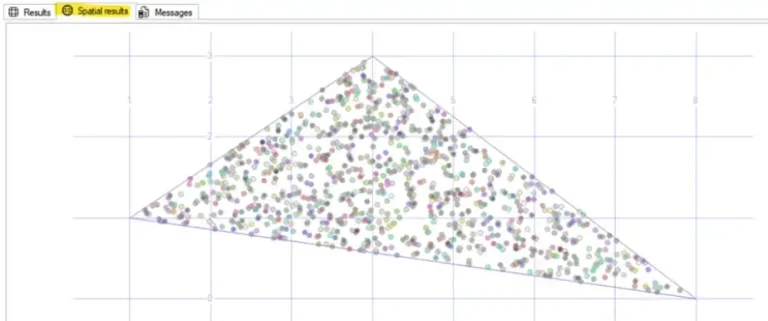
To have a look at the Spatial results of our exponential data run the following:
-- MSSQLTips (TSQL)

SELECT top 5000 [PointId]
      ,[X]
      ,[Y]
      ,[src]
      ,([geometry]::Point([x],[y],(0))).STBuffer(0.01)
  FROM [dbo].[RndGenData];
GO
Resulting in

Or if you want to see the histogram:
-- MSSQLTips (TSQL)

EXECUTE [dbo].[uspRandGenHistogram];
GO
Resulting in:

Once all values are calculated with lambda = 1 and in case you need to change its value, execute the following:
-- MSSQLTips (TSQL)

DECLARE @lambda float = 0.5;

UPDATE       [dbo].[RndGenData]
    SET      [X] = [X] / @lambda
            ,[Y] = @lambda * EXP(-@lambda * [X]);
GO
Next Steps
- WIKIPEDIA – Ziggurat algorithm
- WIKIPEDIA – Exponential distribution
- NIST – Exponential distribution
- Ziggurat Algorithm for Normal Random Gaussian Numbers in SQL Server

Sebastião Pereira has over 40 years of experience in database development including T-SQL, algorithm design, machine learning and bringing innovative mathematical formulas to SQL Server. He started his career at a transnational fast-moving consumer goods (FMCG) company as an employee then later transitioning into a consultant role. He eventually founded his own company to develop software solutions for the healthcare industry. Sebastião is a respected award-winning author on MSSQLTips.com extending SQL Server capabilities beyond traditional workloads.
- MSSQLTips Awards
- Author of the Year – 2025
- Trendsetter (25+ tips) – 2025
- Rookie of the Year – 2024


A very clever approach that works without relying on external tools.