Problem
One of the SQL Server Master Data Services (MDS) models was incorrectly modified and we need to restore the MDS database to the state before the modification took place. We have tried to restore the database, but we are getting errors when we try to browse the MDS data using the Explorer option in the MDS web application. How do we correctly restore and MDS database?
Solution
There could be different reasons why you may need to restore the MDS database, for example:
- Rolling back user changes (when rolling back transaction in MDS and other methods do not work)
- Rolling back a SQL Server patch
- Other user errors
- Other disaster recovery related reasons
Restore a Master Data Services Database
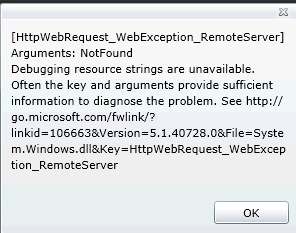
The process of restoring the MDS database is the same as for any other database, but there are additional steps that you may need to perform to make sure that MDS application does not display the following error when a user tries to view the MDS data:
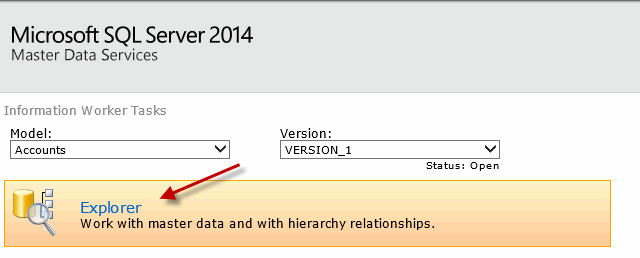
MDS Configuration Manager Step to Complete the Database Restore
After the database restore we need to login to the MDS server and open MDS Configuration Manager.
Click on the “Database Configuration” option on the left and then click on the “Select Database” button:
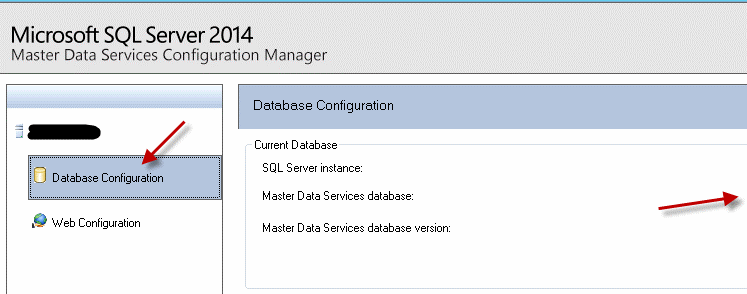
Enter the MDS database connection information:
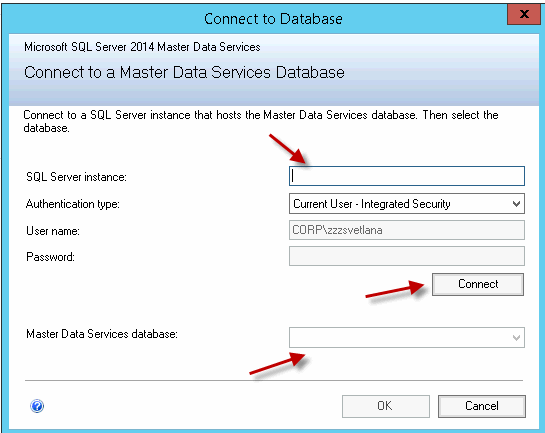
Enter the SQL Server instance name and click “Connect”. The MDS database name will be populated. Click “OK” to connect to the database.
Once you are connected you will get the MDS database connection information. You will see that there is an error saying that the database should be repaired:
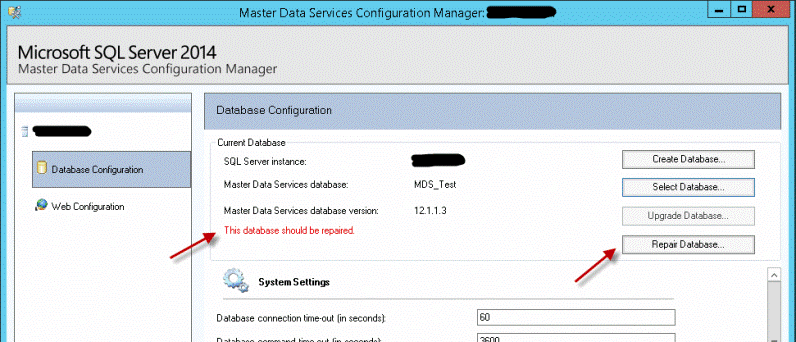
Click on the “Repair Database” button and click “OK” on the pop-up message:
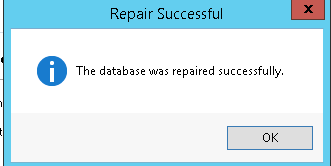
The database recovery is complete now.
Go back to the MDS application and verify that you do not get errors anymore.
Next Steps
- Read other MDS tips here.
- Make sure you have disaster recovery steps documented for the MDS.
- Check Microsoft resources about MDS.
- Read about SQL Server Restore with these tips and tutorial.

Svetlana has been working in IT for more than 17 years. Most of her career has focused on Database Administration (both SQL Server and Oracle) and Database Development. Databases are Svetlana’s passion, but she also has fun helping co-workers and friends in troubleshooting non-database related issues. Svetlana tries to explore and learn as many SQL Server features as possible. Her favorite SQL Server features are Policy Based Management, SSIS, SSRS and Master Data Services. One of Svetlana’s areas of expertize is cross systems / database integration. Svetlana is currently a hands-on Database Team Lead in Calgary, Canada where she promotes SQL Server.
Svetlana likes to share her knowledge with others and enjoys learning herself. Her hobby is photography, but now she spends her free time away from Database Administration with her little girl who proudly wears her MSSQLTips shirt. Svetlana blogs at http://databaserefresh.com and posts her pictures to https://plus.google.com/u/0/111115767149899859037/posts. Her Twitter account is @magasvs.
- MSSQLTips Awards: Rising Star (50+ tips) – 2018 | Author of the Year Contender – 2015-2017