Overview
SQL Server includes the command line tool DTUTIL.EXE which can be used to deploy SSIS packages. DTUTIL is a good choice when you want to script out the deployment of SSIS packages. DTUTIL can be executed from a Command Prompt or from a batch (.BAT) file.
Explanation
To begin open a Command Prompt and navigate to the Tutorial-Sample-1 project folder as shown below:
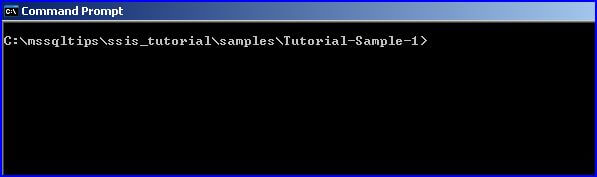
In the examples that follow, I will show how to deploy the CreateSalesForecastInput.dtsx package to the file system, package store, and SQL Server.
To deploy to the file system, you could use the DOS COPY command, Windows Explorer, etc. or the following DTUTIL command (all on one line):
DTUTIL /FILE CreateSalesForecastInput.dtsx /COPY FILE;C:\temp\CreateSalesForecastInput.dtsxReplace the path “C:\temp” as appropriate.
To deploy to the package store, type the following command (all on one line):
DTUTIL /FILE CreateSalesForecastInput.dtsx /COPY DTS;CreateSalesForecastInputTo deploy to SQL Server, type the following command (all on one line):
DTUTIL /FILE CreateSalesForecastInput.dtsx /COPY SQL;CreateSalesForecastInputThe above command deploys to the default SQL Server instance on the local machine. To deploy to a different SQL Server add the command line parameter /DESTSERVER “SERVERNAME\INSTANCENAME”.
Additional Information
- Take a look at the DTUTIL command in Books Online for additional details.

Ray is a Principal Architect at IT Resource Partners focused on SQL Server and Business Intelligence. He is a Microsoft Certified Solutions Expert (MCSE) in Business Intelligence, a MSSQLTips.com BI Expert and Ambassador. He is also a co-author of the book: SharePoint 2010 Business Intelligence Unleashed.
- MSSQLTips Awards: Champion (100+ tips)


Since SQL Server 2012, the preferred deployment model is Project deployment which uses the SSIS Catalog. As best I can tell I don’t think DTUTIL supports that. Here is a tip that will get you started on the Project deployment: https://www.mssqltips.com/sqlservertip/2450/ssis-project-deployment-model-in-sql-server-2012-part-1-of-2/
single command did not work.