Problem
Check out the Frequently Asked Questions (FAQ) about Azure Data Factory. Be sure to review the linked resources that contain more deep-dive information. Most of these Q&A topics are applicable to Azure Synapse Analytics as well.
Solution
The article provides frequently asked questions and answers about Azure Data Factory, explaining its purpose and usefulness.
Azure Data Factory (ADF for short), is a native cloud data integration service where you can build and orchestrate data pipelines. There are many data connectors that provide out-of-the-box support to either read data from or write data to. ADF is mainly a low-code to no-code environment and is best suited for ELT (extract-load-transform) scenarios.
Yes and no. ADF is a cloud data integration service, while Integration Services (SSIS) is an on-premises ETL tool. However, as more and more businesses move to the cloud, they will probably adopt ADF (or Microsoft Fabric) for their data integration needs. It’s possible to run SSIS in an ADF environment though, but eventually it makes more sense to convert your SSIS packages to ADF pipelines if possible. However, if your environment remains on-premises there’s direct need to get rid of SSIS. For more information about both products, check out the tip Choosing Between SSIS vs ADF.
Officially, no. Or maybe not yet. At the time of writing, ADF still remains a separate product but it’s noticeable that more new features are added to Fabric than to ADF. There are still many customers using ADF, so Microsoft might keep the service around for a while. There’s also still a bit of a feature gap between the two services, but this becomes more narrower each month. Microsoft is offering migration scenarios from ADF to Fabric.
Most likely not. There’s big overlap between the functionality of ADF and Synapse Data Pipelines. It’s more probable that Microsoft Fabric will replace Synapse Analytics than ADF, but there’s at the time of writing no official communication from Microsoft about this subject.
ADF is best suited for ELT (extract-load-transform) scenarios where data is extracted from a source and written to a destination, and the actual transformations are done in the destination (for example by executing SQL scripts). Transformations options in the Copy Data activity are limited: it can change data types, it can add a column (for example containing the source file name) or it can flatten a hierarchy (for example when reading JSON data and writing it to a table). There are no real data transformations available like in the SSIS data flow. ADF does offer the data flows feature which is a graphical layer on top of Spark and they are capable of doing data transformations but they cost extra.
Pipelines are the core feature of ADF. A pipeline contains one or more activities which perform certain tasks like copying data, executing a SQL script, starting an Azure Function and so on. Activities can be chained together using success or failure constraints and there’s control flow behavior such as if-then or looping. You can compare the pipeline functionality with an SSIS control flow.
Linked services define a connection to a certain data source. This can be a database, like SQL Server, Postgres or Oracle, but also cloud sources like Azure Blob Storage, AWS S3, and so on. A linked service typically specifies the connection information and how you can authenticate against this source. Most properties can be parameterized, and credentials can be fetched from Azure Key Vault. You can also specify which Integration Runtime should be used, e.g. if you want to use cloud resources or run it on-premises using a self-hosted runtime.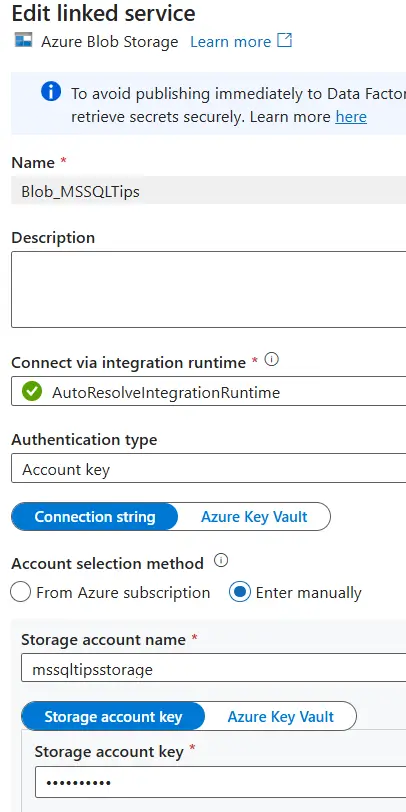
A linked service specifies where you can find the data (and how to authenticate), a dataset specifies what the data looks like. If the data is in a CSV file, the dataset will describe row and column delimiter, the encoding, the (optional) compression and so on. For an Excel file, the worksheet and range might be specified. If it’s a database table, the schema and the table name. Most datasets can specify the different columns and their data types. Like linked services, most properties can be parameterized which is useful to create metadata-driven frameworks.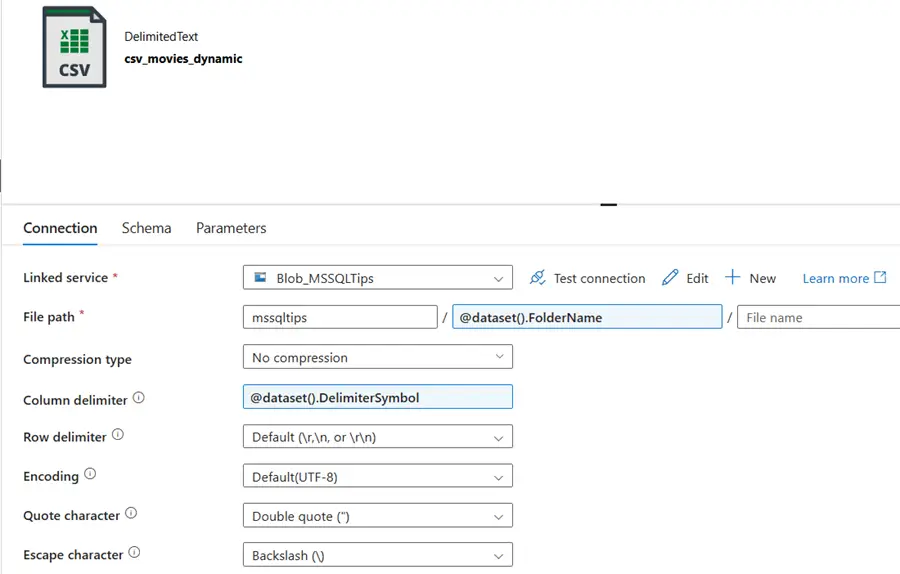
Yes, ADF fully supports CI/CD pipelines in Azure Devops. To deploy ADF from one environment to another, you can use classic release pipelines in Azure Devops or YAML-based files. Behind the scenes, ADF uses ARM templates to deploy artefacts which are saved in a separate git branch called adf_publish.
Dataflows are a visual interface on top of a Spark runtime. They enable you to build low-code data pipelines capable of powerful and scalable transformations. It’s the only option in ADF available where you can do complex data transformations. The downside is that it can be quite costly, you need to wait for the Spark runtime to start if it wasn’t active yet (which can take a few minutes) and the Spark environment can be outdated in contrast with Databricks or Microsoft Fabric. You can compare the functionality of dataflow in ADF with an SSIS dataflow.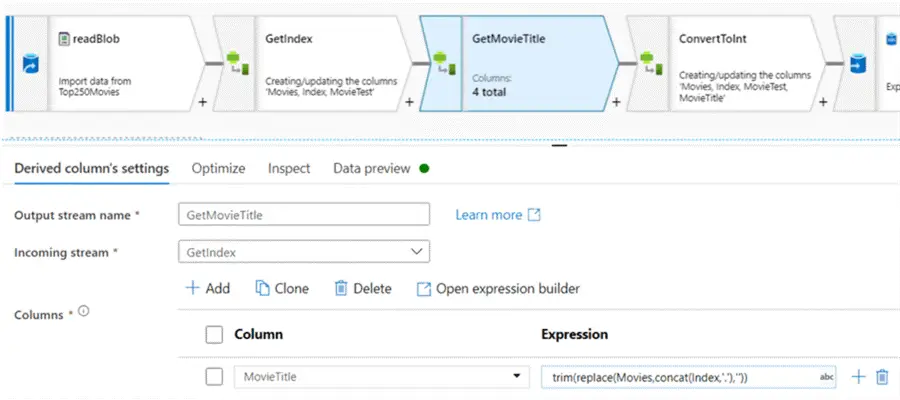
When copying data or executing various activities, compute is needed to perform these operations. An Integration Runtime (IR) specifies where the compute is located. You have the default Azure IR which executes activities in Azure, while the self-hosted IR executes them on an on-premises machine (or on a VM in the cloud). The Azure-SSIS IR allows to run SSIS packages inside ADF. You also have the option to configure your own Azure IR, which is needed if you want to change the default settings for a Spark environment (used in dataflows). In preview, there’s also a new IR to run Airflow DAGs.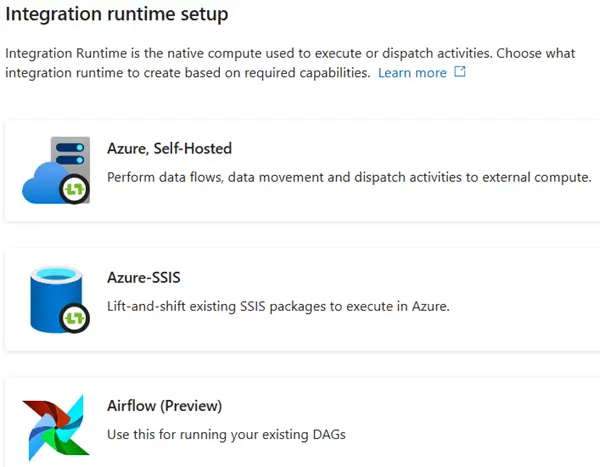
Yes, ADF supports git integration in either Azure Devops or in GitHub.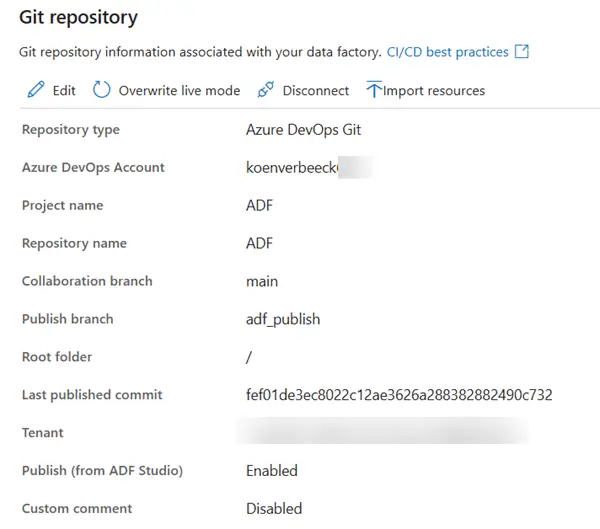
Next Steps
- If you want to learn more about ADF, check out the tutorial.
- You can find all tips about ADF in this overview.

Koen Verbeeck is a seasoned business intelligence consultant with over a decade of experience with the Microsoft Data Platform. He holds several certifications, including Azure Data Engineer. He’s a prolific writer, with over 375 articles on technologies such as Microsoft Fabric, SSIS, ADF, SSAS, SSRS, MDS, Power BI, Snowflake and Azure services. He has spoken at various events such as PASS, SQLBits, dataMinds Connect and many others. He frequently delivers educational webinars on MSSQLTips.com. For his efforts, Koen has been awarded the Microsoft MVP data platform award for many years.
- MSSQLTips Awards:
- Leadership Award (200+ Tips) – 2021
- Author of the Year – 2014/2020/2022
- Author Contender – 2024/2025