Problem
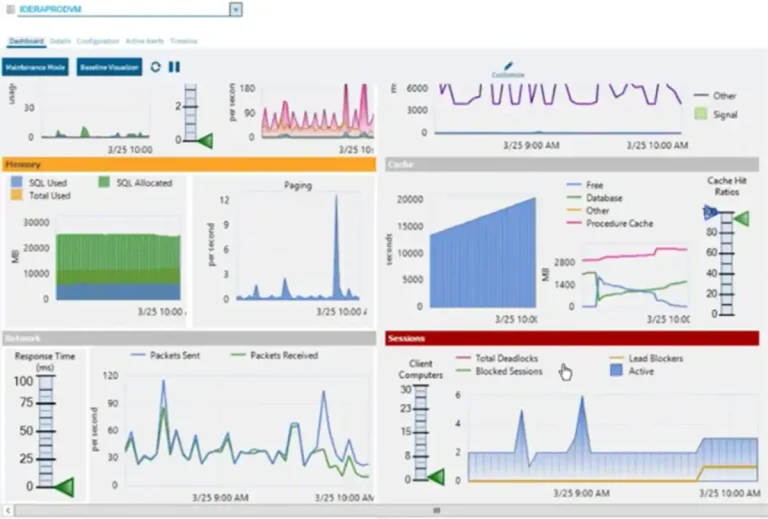
Memory plays a crucial role for SQL Server. It makes the workload faster, efficient and stable. With SQL Server default settings, all available system memory will be acquired. As a DBA, it is important to identify top memory hungry queries and tune them. In this tip, we will simulate memory stress, find out memory intensive queries and test some mitigation techniques. Let’s start.
Solution
We will use SQLQueryStress which is a free tool for memory stress simulation and for troubleshooting different DMVs.
Memory
SQL Server needs excessive memory as memory IO is faster than disk IO. Therefore, it tries to serve all data activity from memory. For example, when a DELETE/UPDATE/INSERT statements occurs, the database engine first changes the data in the memory then writes to the disk. Similarly, for SELECT statements, first it checks whether the data is already in memory, if not, it retrieves from disk and caches to memory then serves it.
Memory Stress Simulation
For simulating memory stress, let’s execute Query Snippet-1 through SQLQueryStress and generate load on your SQL Server (Figure-1).
-- !!! First, clear the DMV. Be cautious about clearing it in production environment.
DBCC SQLPERF ('sys.dm_os_wait_stats', CLEAR);
GO
-- This query performs a large memory-consuming sort and join
-- Run it with 20–50 threads in SQLQueryStress to simulate RESOURCE_SEMAPHORE waits

SELECT TOP 1000
    p.ProductID,
    p.Name,
    sod.SalesOrderID,
    sod.OrderQty,
    sod.UnitPrice,
    soh.OrderDate,
    soh.SubTotal
FROM Sales.SalesOrderDetail AS sod
INNER JOIN Sales.SalesOrderHeader AS soh
    ON sod.SalesOrderID = soh.SalesOrderID
INNER JOIN Production.Product AS p
    ON p.ProductID = sod.ProductID
CROSS JOIN (SELECT TOP 400 * FROM master.dbo.spt_values) AS x -- multiplies dataset
ORDER BY
    NEWID(); -- random order forces expensive memory-based sort
Figure – 1: Putting stress on SQL Server using SQLQueryStress
Top Wait Types
Now run Paul Randal’s query in SSMS to identify the top wait types of your server. The output will similar to Figure-2. Initially, you may find CXPACKET wait type. Later, RESOURCE_SEMAPHORE will be prevalent. RESOURCE_SEMAPHORE indicates that SQL Server has insufficient memory to run queries, and queries had to wait on available memory before they could start.

Figure – 2: Top wait types of the system.
Top Memory Intensive Queries
As RESOURCE_SEMAPHORE is the top wait type, let’s execute Query Snippet-2 which will find the top 10 queries sorted by memory grant.
SELECT TOP 10
    COALESCE(DB_NAME(st.dbid), DB_NAME(CONVERT(INT, qp.dbid))) AS [DatabaseName],
    qs.creation_time AS [PlanCreationTime],
    qs.last_execution_time AS [LastExecutedTime],
    SUBSTRING(
        st.text,
        (qs.statement_start_offset / 2) + 1,
        ((CASE qs.statement_end_offset
            WHEN -1 THEN DATALENGTH(st.text)
            ELSE qs.statement_end_offset
          END - qs.statement_start_offset) / 2) + 1
    ) AS [QueryText],
    qs.execution_count AS [ExecutionCount],
    -- CPU info (for reference)
    qs.total_worker_time / 1000 AS [Total_CPU_Time_ms],
    (qs.total_worker_time / qs.execution_count) / 1000 AS [Avg_CPU_Time_ms],
    -- Logical IO info (for context)
    (qs.total_logical_reads + qs.total_logical_writes) AS [TotalLogicalIO],
    (qs.total_logical_reads + qs.total_logical_writes) / qs.execution_count AS [AvgLogicalIO],
    -- Memory-related metrics
    qs.max_used_grant_kb AS [MaxUsedMemoryGrant_KB],
    qs.total_grant_kb AS [TotalMemoryGrant_KB],
    qs.total_grant_kb / qs.execution_count AS [AvgMemoryGrant_KB],
    qs.max_used_grant_kb - (qs.total_grant_kb / qs.execution_count) AS [MemoryWaste_KB],
    qs.max_used_grant_kb / qs.execution_count AS [AvgUsedMemoryGrant_KB],
    qp.query_plan AS [ExecutionPlan]
FROM sys.dm_exec_query_stats AS qs
CROSS APPLY sys.dm_exec_sql_text(qs.sql_handle) AS st
CROSS APPLY sys.dm_exec_query_plan(qs.plan_handle) AS qp
WHERE COALESCE(DB_NAME(st.dbid), DB_NAME(CONVERT(INT, qp.dbid)))
      NOT IN ('master', 'model', 'msdb', 'tempdb')
ORDER BY qs.max_used_grant_kb DESC;
Query Snippet-2 identified the queries which created tremendous pressure on the memory (Figure-3).

Figure-3: Top Memory-intensive queries
Mitigation
Once you found the top queries responsible for consuming memory, the next step is to tune them.
By clicking on the execution plan (Figure-3 above), you can explore the query plan (Figure-4). For example in this plan, you will see lots of index scans, parallelism and costly (98%) sort operations (this is intentional to produce the memory stress).

Figure-4: Execution plan
Case – Queries with Large Sorts, Hash Joins or Table/Index Scanning
If you observe many concurrent queries with large sorts, hash joins, table/index scan then begin to tune these queries. Start by adding missing indexes and check for outdated statistics. The below will display queries with missing indexes and statistics information.
-- It will find out queries with missing indexes
WITH XMLNAMESPACES('http://schemas.microsoft.com/sqlserver/2004/07/showplan' AS p)
SELECT
    COALESCE(DB_NAME(st.dbid),DB_NAME(CONVERT(INT, qp.dbid))) AS [DatabaseName],
    qs.creation_time AS [PlanCreationTime],
    qs.last_execution_time AS [LastExecutedTime],
    qs.execution_count AS [ExecutionCount],
    qs.total_worker_time / 1000 AS [Total_CPU_Time_ms],
    (qs.total_worker_time / qs.execution_count) / 1000 AS [Avg_CPU_Time_ms],
    (qs.total_worker_time / 1000) AS [Cumulative_CPU_Time_All_Executions_ms],
    (qs.total_logical_reads + qs.total_logical_writes) AS [TotalLogicalIO],
    (qs.total_logical_reads + qs.total_logical_writes) / qs.execution_count AS [AvgLogicalIO],
    SUBSTRING(st.text,
              (qs.statement_start_offset / 2) + 1,
              ((CASE qs.statement_end_offset
                   WHEN -1 THEN DATALENGTH(st.text)
                   ELSE qs.statement_end_offset
                 END - qs.statement_start_offset) / 2) + 1) AS [QueryText],
    qp.query_plan AS [ExecutionPlan]
FROM    (
    SELECT  TOP 10 *
    FROM    sys.dm_exec_query_stats
    ORDER BY total_worker_time DESC
) AS qs
CROSS APPLY sys.dm_exec_sql_text(qs.sql_handle) AS st
CROSS APPLY sys.dm_exec_query_plan(qs.plan_handle) AS qp
WHERE qp.query_plan.value('count(//p:MissingIndexGroup)', 'int') > 0
GO

-- Below query will display statistics info.
SELECT DISTINCT
OBJECT_NAME(s.[object_id]) AS TableName,
c.name AS ColumnName,
s.name AS StatName,
STATS_DATE(s.[object_id], s.stats_id) AS LastUpdated,
DATEDIFF(d,STATS_DATE(s.[object_id], s.stats_id),getdate()) DaysOld,
dsp.modification_counter,
s.auto_created,
s.user_created,
s.no_recompute,
s.[object_id],
s.stats_id,
sc.stats_column_id,
sc.column_id
FROM sys.stats s
JOIN sys.stats_columns sc
ON sc.[object_id] = s.[object_id] AND sc.stats_id = s.stats_id
JOIN sys.columns c ON c.[object_id] = sc.[object_id] AND c.column_id = sc.column_id
JOIN sys.partitions par ON par.[object_id] = s.[object_id]
JOIN sys.objects obj ON par.[object_id] = obj.[object_id]
CROSS APPLY sys.dm_db_stats_properties(sc.[object_id], s.stats_id) AS dsp
WHERE OBJECTPROPERTY(s.OBJECT_ID,'IsUserTable') = 1
AND (s.auto_created = 1 OR s.user_created = 1)
ORDER BY DaysOld;
GO
Case – OS Level Memory Pressure
In some cases, there could be real memory pressure at the OS level. In that case, you need to upgrade physical memory in the server or reduce the max amount of SQL Server memory. Below Query Snippet-4 will show system memory, available memory, acquired memory and SQL Server’s target memory.
SELECT
    osm.total_physical_memory_kb / 1024 AS [Total_Physical_Memory_MB],
    osm.available_physical_memory_kb / 1024 AS [Available_Physical_Memory_MB],
    osi.committed_kb / 1024 AS [SQL_Server_Committed_Memory_MB], -- Memory SQL Server acquired
    osi.committed_target_kb / 1024 AS [SQL_Server_Target_Committed_Memory_MB], -- SQL Server target to acquire
    osm.system_memory_state_desc
FROM sys.dm_os_sys_memory AS osm
CROSS JOIN sys.dm_os_sys_info AS osi
GO| Scenario | Meaning |
|---|---|
| Committed ≈ Target | Memory usage is stable. SQL Server acquired what it needs. |
| Committed < Target | SQL Server can still grow. Workload or data volume might increase. |
| Committed > Target | OS level memory pressure. SQL Server may start releasing memory. |
Table-1:- Relationship between Committed and Target memory
Best Practices for SQL Server Memory Allocation
Microsoft recommends using dynamic memory configuration with min server memory = 0 and max server memory set to leave room for the OS.
- For systems with 8–16 GB RAM, reserve 2–4 GB for the OS.
- For larger systems, leave 4 GB for every 16 GB of RAM beyond the first 32 GB. Adjust this based on your system’s requirements and memory allocations.
Next Steps
- Troubleshooting SQL Server RESOURCE_SEMAPHORE Waittype Memory Issues
- SQL Server Memory Usage Query
- Uncover SQL Server Missing Indexes
- Find SQL Server Missing Indexes with DMVs
- Query Tuning in SQL Server with Execution Plans and Missing Indexes
- Don’t rely solely on SQL Server’s missing index recommendations
- Missing Index Request
- SQL SERVER – 3 Queries to Detect Memory Issues
- How to Find Outdated Statistics

M A A Mehedi Hasan has been working with EBS Group since 2005. He started his career as a Software Developer and he is now Chief Technology Officer (CTO) of EBS Group. In his long journey, he had the opportunity to work with various technologies like the Microsoft Data Platform, SMS/USSD/IVR based Telecom Value Added Service, and Audio/Video streaming.
As a Microsoft certified Azure Database Administrator Associate, he manages large databases, testing and deployment, performance tuning, long term capacity planning, and streamlining operational workflow. He is also a certified AWS Cloud Practitioner and his team is migrating on-prem services to AWS.
Being a member of techforumbd, a Bangladeshi tech community, he regularly speaks and organizes sessions at local and virtual PASS chapters, SQL Saturdays, and Azure conferences. He also has a course about SQL Server available on the Ghoori Learning and Ostad.app platforms.
In his free time, he loves exploring and learning as much as possible about SQL Server.