Overview
Assuming the Power BI Mobile App is installed on your target device, we will look at the settings to authenticate with a SSRS server. It is also assumed that you have a SSRS server installed and available. You will either need an internet facing SSRS server or your device needs to be on the same network as your SSRS server. Follow the below steps to connect with the SSRS server.
Explanation
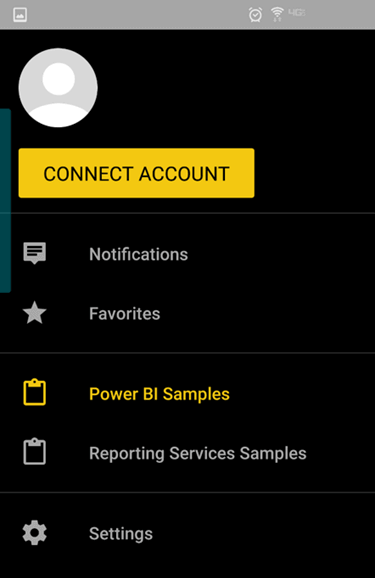
Open the Power BI Mobile app menu icon and you should be able to see a screen as shown below. Click on the Settings menu option.
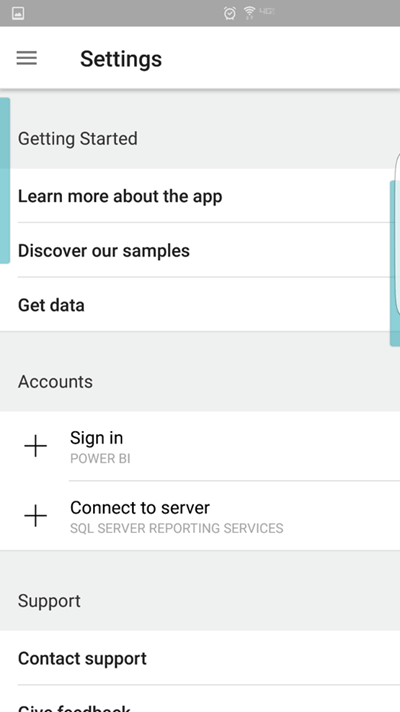
The settings page should look as shown below. Here we have the options to connect with Power BI as well as SSRS. Click on Connect to server – SQL Server Reporting Services.
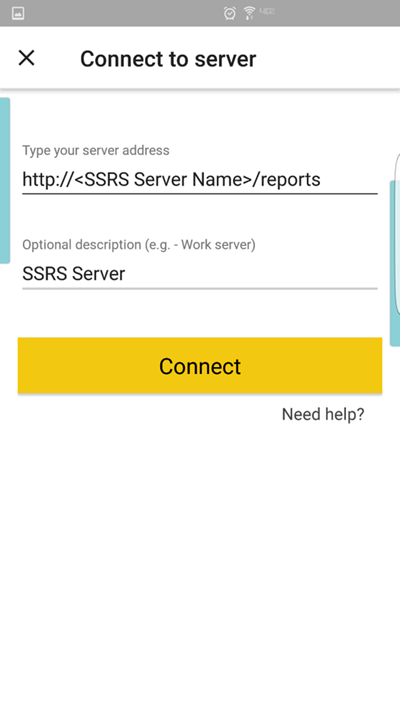
Provide the name or IP address of the SSRS server where you have access and a description or name for the server as shown below and click Connect.
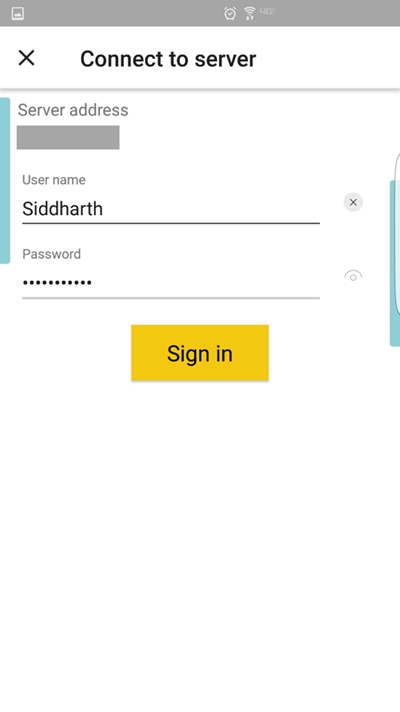
4) If the app was able to find the server, it will ask for authentication credentials as shown below. Provide these and click Sign In.
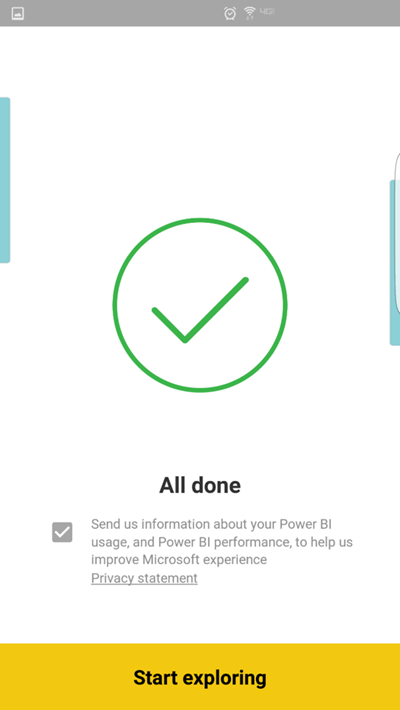
On successful authentication, you should be able to see a confirmation message as shown below. This completes your connection with the SSRS server. Click Start exploring and you should be able to find all the objects that you have deployed on your SSRS web portal.
Additional Information
- You can use the IPConfig utility from the command prompt of your SSRS server to find the IP Address of your SSRS server.

Siddharth has more than 14 years of experience in the IT Industry, with more than a decade of experience in Business Intelligence and Analytics, for clients banking, logistics, government, Media Entertainment, products, life sciences and other domains. He has been a lead architect for a portfolio of 40+ apps, containing apps in web, mobile, BI, Analytics, data warehousing, reporting, collaboration, CMS, NoSQL and other technologies. He has several certifications and is a published author for online and print-media publications, as well as the MSDN Library.
In his present role, he remains responsible for architecture design, technology stack selection, infrastructure design, 3rd party products evaluation and procurement, and performance engineering. These applications use technologies like Elasticsearch / Lucene, MongoDB, SharePoint 2013 and 2010, jQuery-based framework like Highcharts and GoJS, SQL Server and the Microsoft Business Intelligence stack (SSIS, SSAS, SSRS, MDX, PowerPivot, PowerView), jQueryMobile, Bootstrap, iOS xCode framework, and many others.
- MSSQLTips Awards: Champion (100+ tips) – 2018 | Author of the Year – 2017 | Author Contender – 2016, 2018-2019