Overview
The Power BI Mobile App is available for iOS, Windows and Android platform. This app is required to be installed on your target mobile or tablet device to access SSRS Mobile reports. In this chapter, we will briefly discuss this mobile app.
Explanation
Below is the look and feel of the application icon as well as the description of the Power BI mobile app for iOS, Windows and Android (left to right) respectively.
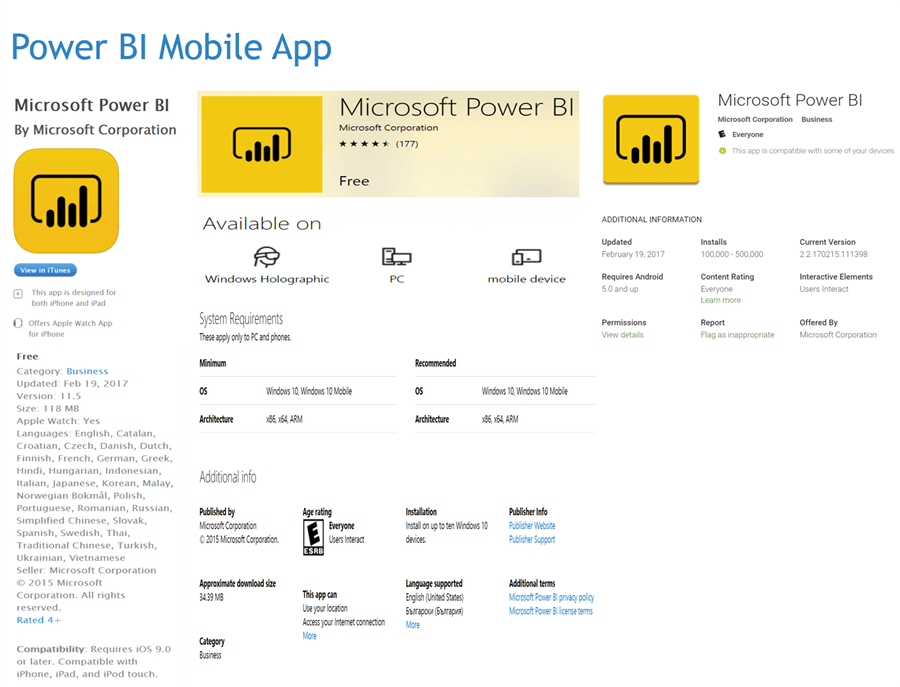
Installing the Power BI mobile app can consume 50 – 150 MB on your device depending upon the version of the app and the platform of your device.
Your device will require network access to connect to the target SSRS server over the internet / intranet depending on the configuration of your SSRS server.
The Power BI mobile app allows you to authenticate directly with your SSRS server and it allows you to connect to Power BI Dashboards using your organizational cloud access credentials. The SSRS server can be configured to integrate with Power BI using Report Server Configuration Manager. After this integration, one can directly pin SSRS reports on Power BI dashboards to access them over this mobile app. We would be using the method of authenticating directly with the SSRS server using the mobile app to access the mobile reports hosted on a SSRS server.
Additional Information
- Consider downloading and installing the Power BI mobile app on your device as we will be configuring it in the next chapter.

Siddharth has more than 14 years of experience in the IT Industry, with more than a decade of experience in Business Intelligence and Analytics, for clients banking, logistics, government, Media Entertainment, products, life sciences and other domains. He has been a lead architect for a portfolio of 40+ apps, containing apps in web, mobile, BI, Analytics, data warehousing, reporting, collaboration, CMS, NoSQL and other technologies. He has several certifications and is a published author for online and print-media publications, as well as the MSDN Library.
In his present role, he remains responsible for architecture design, technology stack selection, infrastructure design, 3rd party products evaluation and procurement, and performance engineering. These applications use technologies like Elasticsearch / Lucene, MongoDB, SharePoint 2013 and 2010, jQuery-based framework like Highcharts and GoJS, SQL Server and the Microsoft Business Intelligence stack (SSIS, SSAS, SSRS, MDX, PowerPivot, PowerView), jQueryMobile, Bootstrap, iOS xCode framework, and many others.
- MSSQLTips Awards: Champion (100+ tips) – 2018 | Author of the Year – 2017 | Author Contender – 2016, 2018-2019